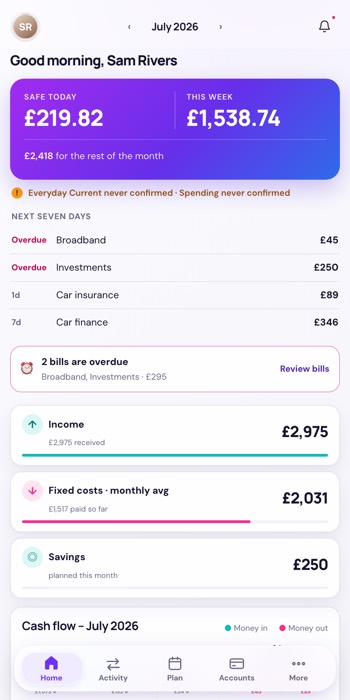
The four ideas above are why Vela exists. This is the rest of it — the registers
that feed those numbers, and the settings that decide how they look and when they interrupt you.
Activity
Every transaction, searchable
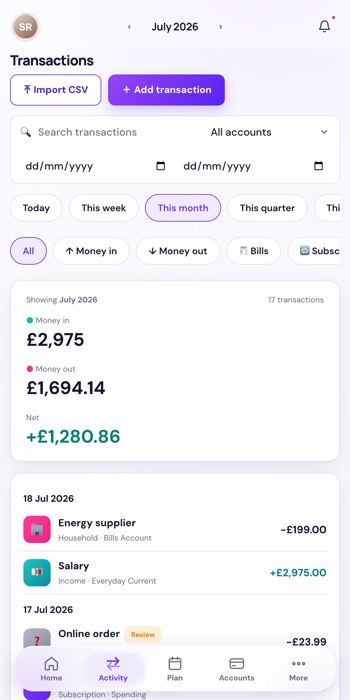
Search, date ranges, and one-tap windows for today, this week, this month or this quarter — then filter to money in, money out, bills or subscriptions. A running money in, money out and net sits above the list.
Rename anything and the new name sticks: a re-sync updates the amount and the date but leaves your name alone. Anything the app is unsure about gets a Review chip rather than a silent guess.
Six years of history came with it. Every transaction back to 2019 was imported from the spreadsheet Vela replaced — so the search box reaches your whole financial history, not just the weeks since you started.
And it shows the same columns your old sheet did — time, type, location, even the emoji — or hides the ones you never read. It’s still your table; Vela just keeps it current.
Plan
The month on paper
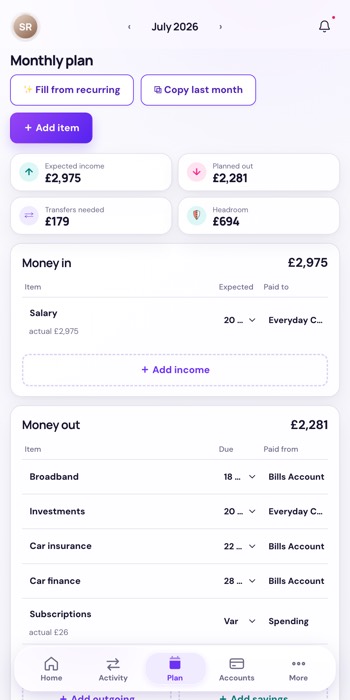
Expected income, planned out, transfers needed and Headroom — the old income-minus-outgoings figure, kept where it’s honest, well away from the headline.
Build it in one tap with Fill from recurring or Copy last month. When a real payment arrives and matches a planned item, it replaces that line rather than adding to it, so nothing is ever counted twice.
More › Income
What’s coming in, and when
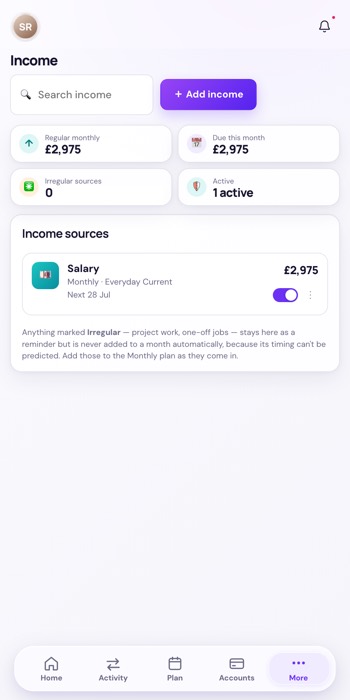
The register of what you’re paid. Only recurring income can set the safe-to-spend horizon — a one-off can’t move your payday, because it isn’t one.
A payday rule handles the awkward months: pay that lands early because the date fell on a weekend, and the December run that arrives before Christmas rather than at month end.
More › Fixed costs
The bills that repeat
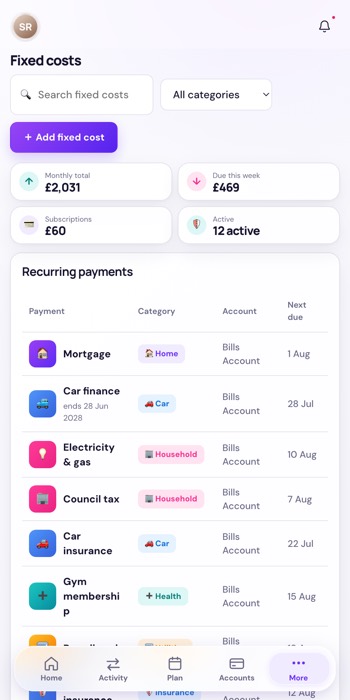
Everything that goes out on a schedule, with which account pays it — that last part is what makes ring-fencing work, because it’s how Vela knows a bills account is short before the direct debit bounces.
Set here once, and it feeds the plan, the next-seven-days list and the funding warnings without being retyped.
Accounts
Where the money actually is
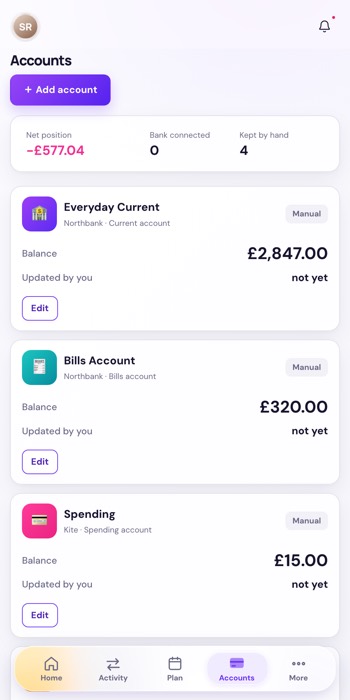
Net position across everything, and a count of what’s bank connected versus kept by hand — stated plainly, because the difference decides how much to trust the headline.
Each account carries its own freshness line, and a balance you typed says so and shows its age.
The everyday account connects through Monzo and keeps itself current in the background — webhooks as they happen, a catch-up sweep to be sure. The rest are still by hand, and Vela never blurs the two.
More › Settings
How it looks, and what it’s allowed to say
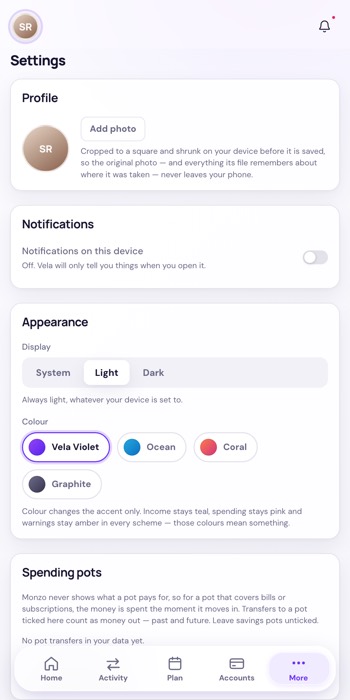
Light, dark or follow the system, plus four accent schemes. The accent is all that changes: income stays teal, spending stays pink and warnings stay amber in every scheme, because those colours carry meaning.
Also where spending pots are declared — for a pot whose card the bank won’t itemise, the money counts as spent the moment it moves in.
The bell · every screen
Notifications
The bell carries anything that needs you, ranked once so it can never disagree with the action on Home. It draws only on what the app itself raises — it cannot invent an alert that the figures don’t support.
Web Push can carry the actionable ones to your phone. It holds during quiet hours rather than firing at 3am, and only marks an alert delivered once a device has actually accepted it. The bell is authoritative; push is best-effort.
No screenshot here — the panel opens from the bell, and these screens were captured without a hand on the mouse.