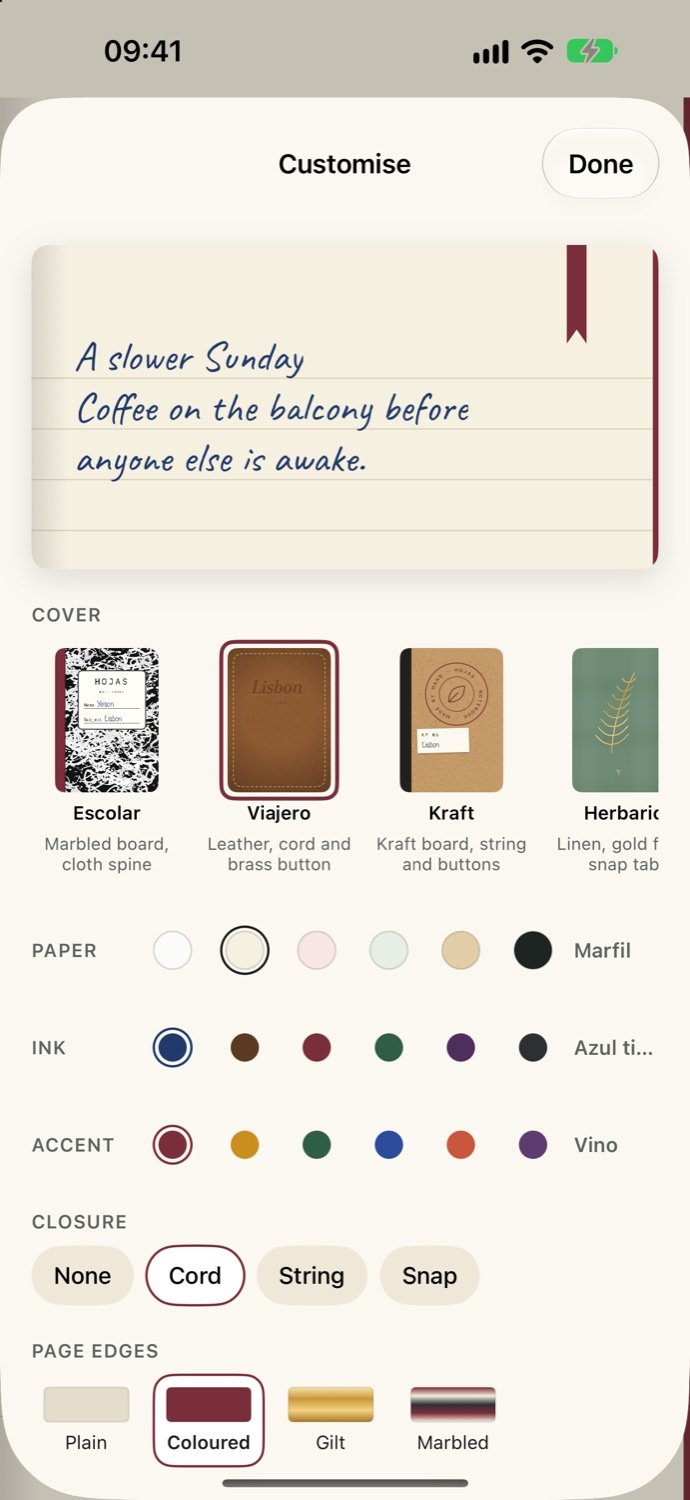
Make it yours
Pick the cover (Escolar, Viajero, Kraft, Herbario…), the paper, the ink and accent, a closure (cord, string or snap) and the page edges: plain, coloured, gilt or marbled.
A cover you choose, paper you like, a ribbon on the page you’re working on, and handwriting on every line, even when you type.
Every screen below is the real app with sample pages in it.
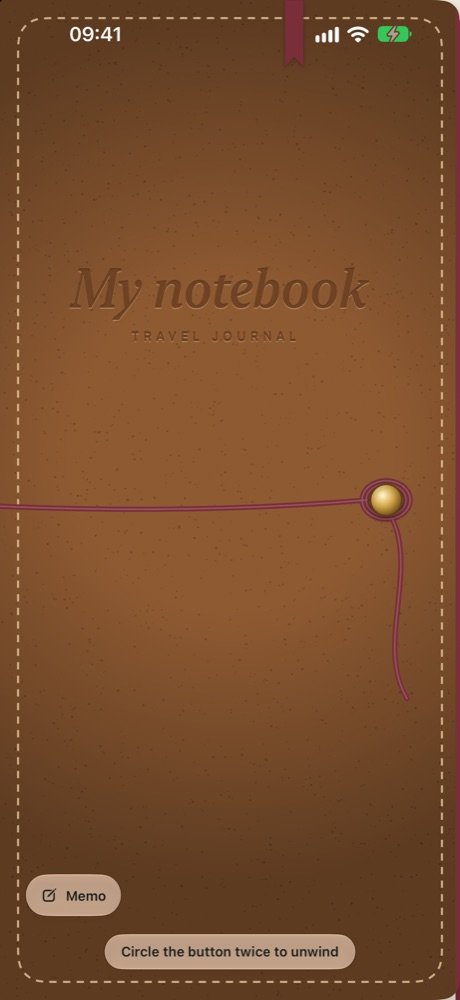
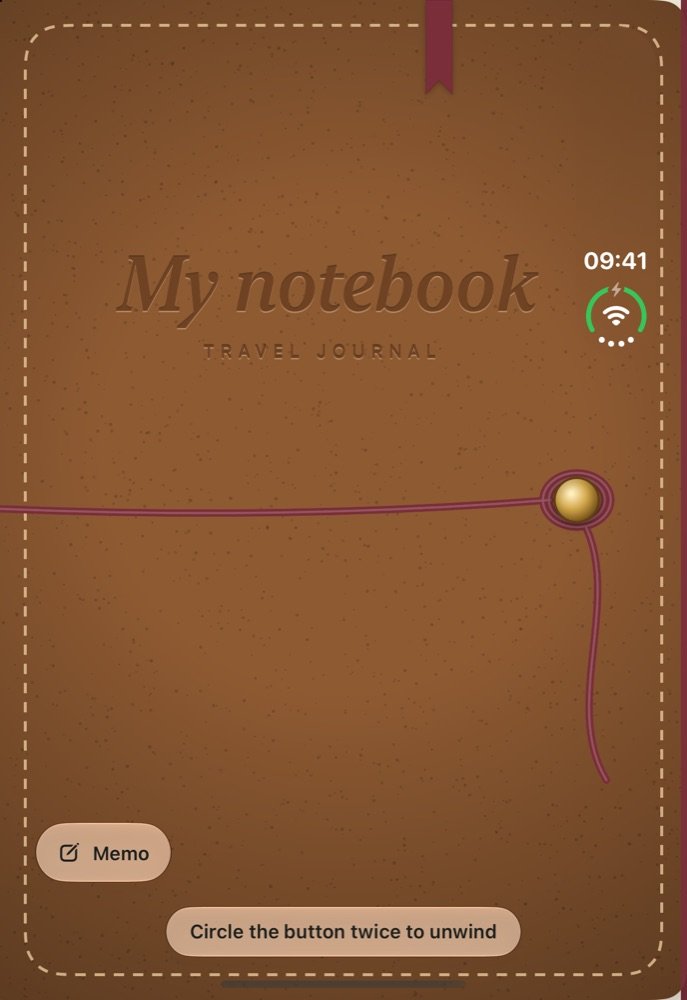
Your notebook starts closed, like a real one: a cover you chose, an elastic band and a ribbon. Circle the button twice to unwind it.
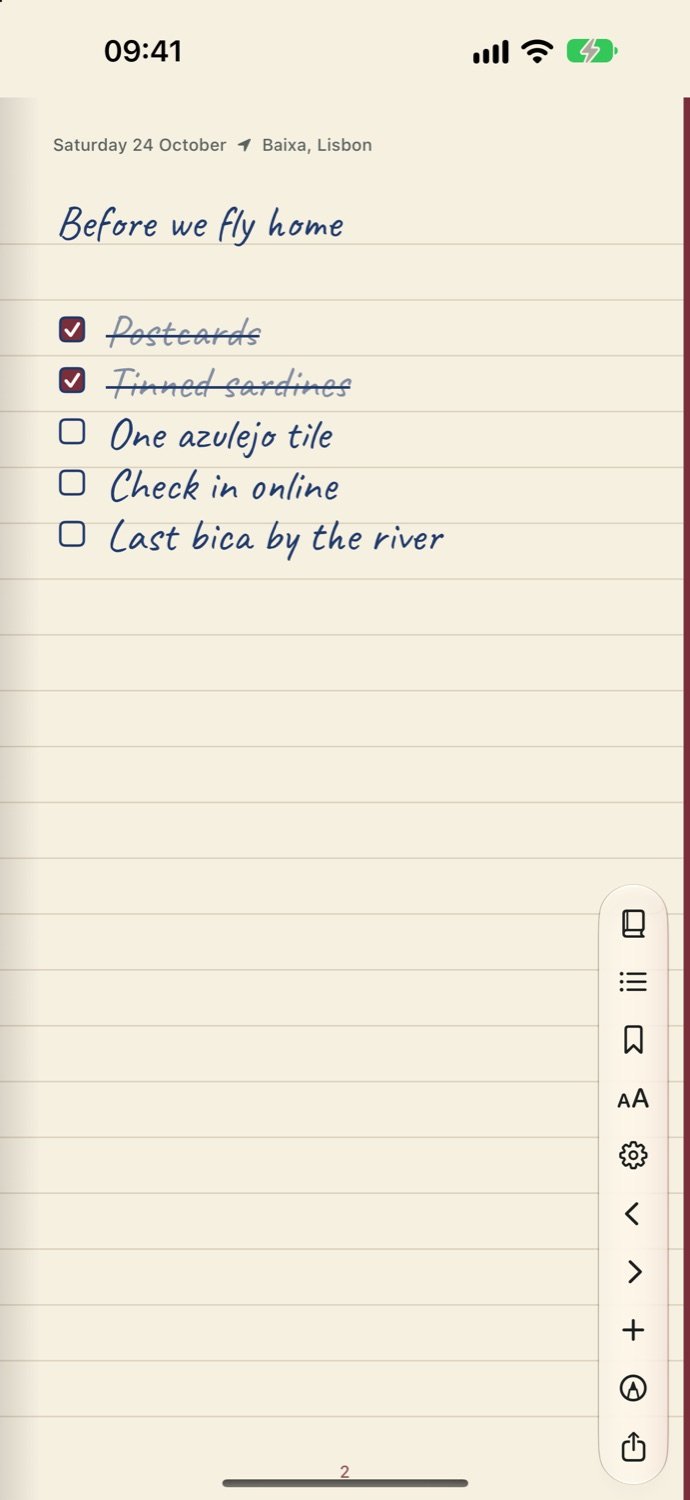
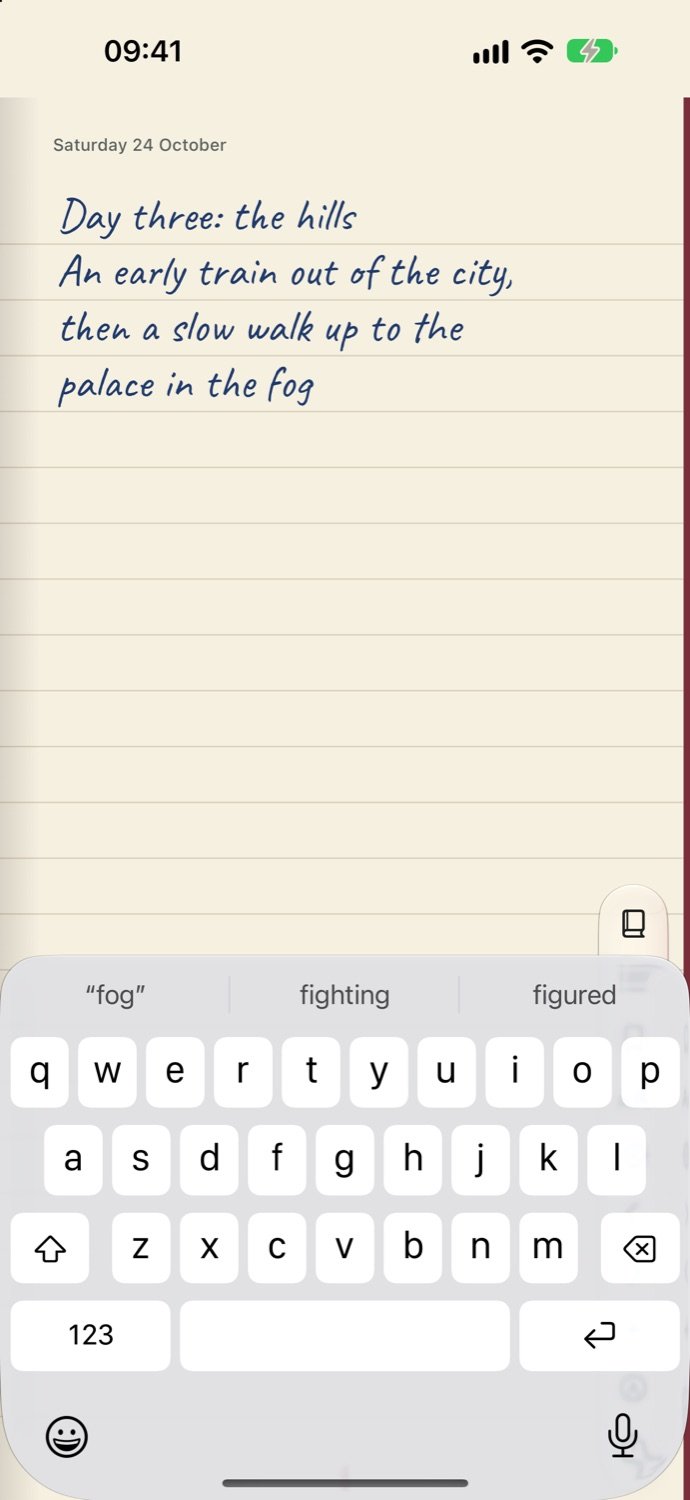
Every page is lined paper. Tap where you want the words and type: they come out in handwriting, right where you tapped.
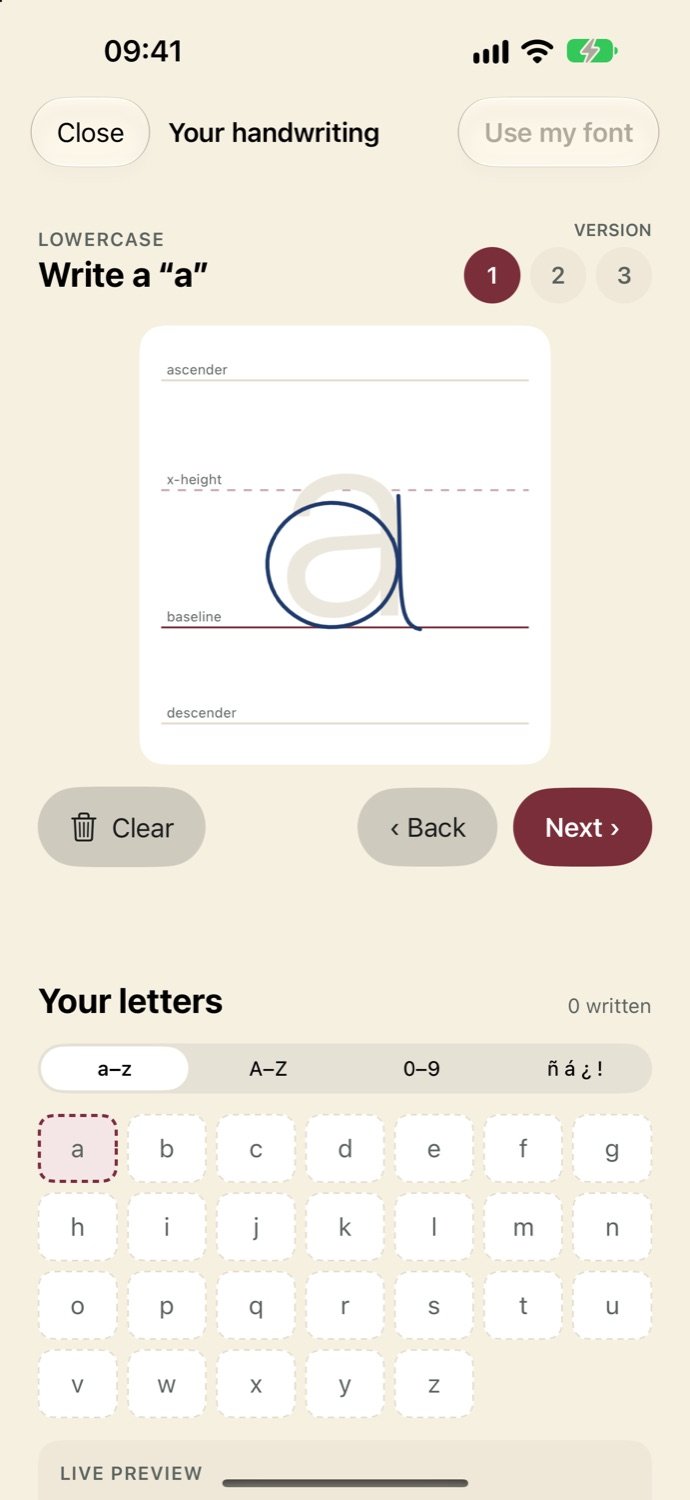
Trace each letter over a guide and Hojas builds a real font from it, right on your iPhone. From then on, your notes read like you wrote them.
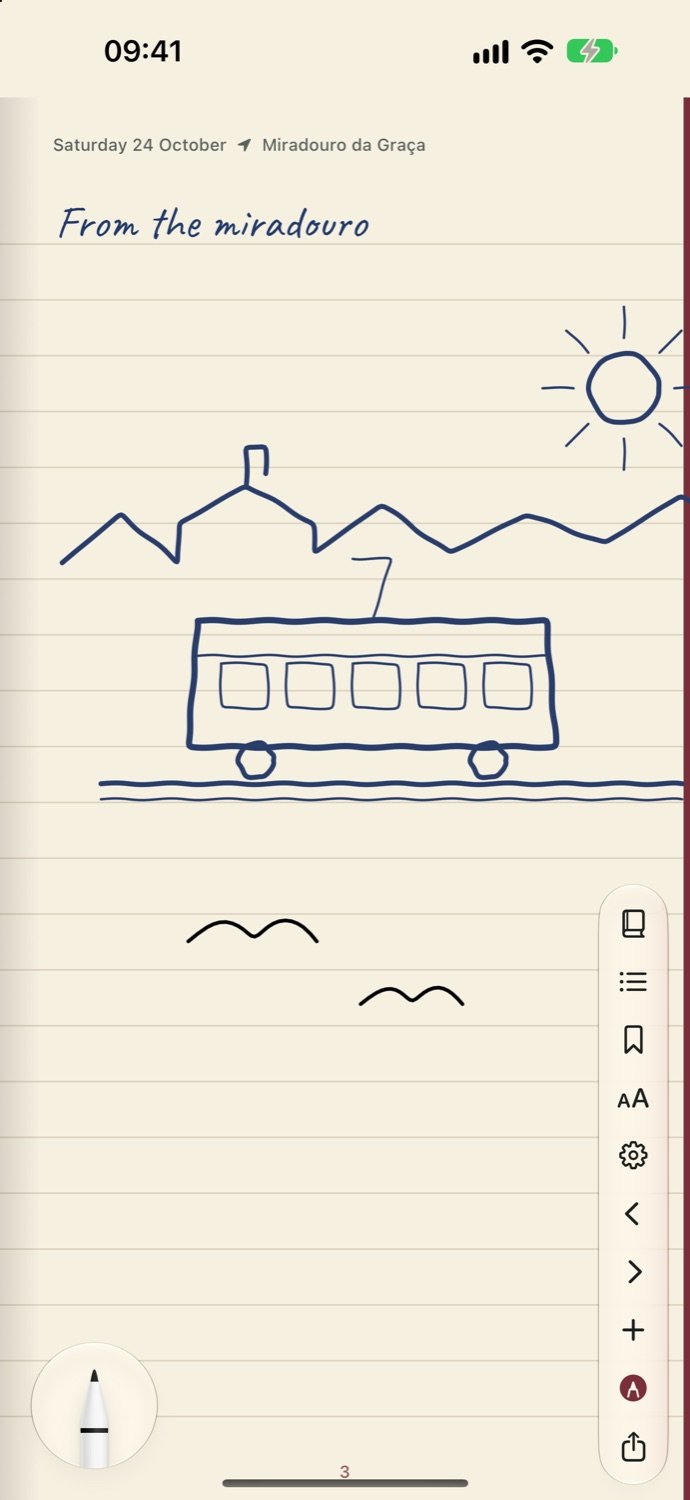
Switch to the pen and sketch beside your notes: the tram up the hill, the birds over the rooftops, a quick map.
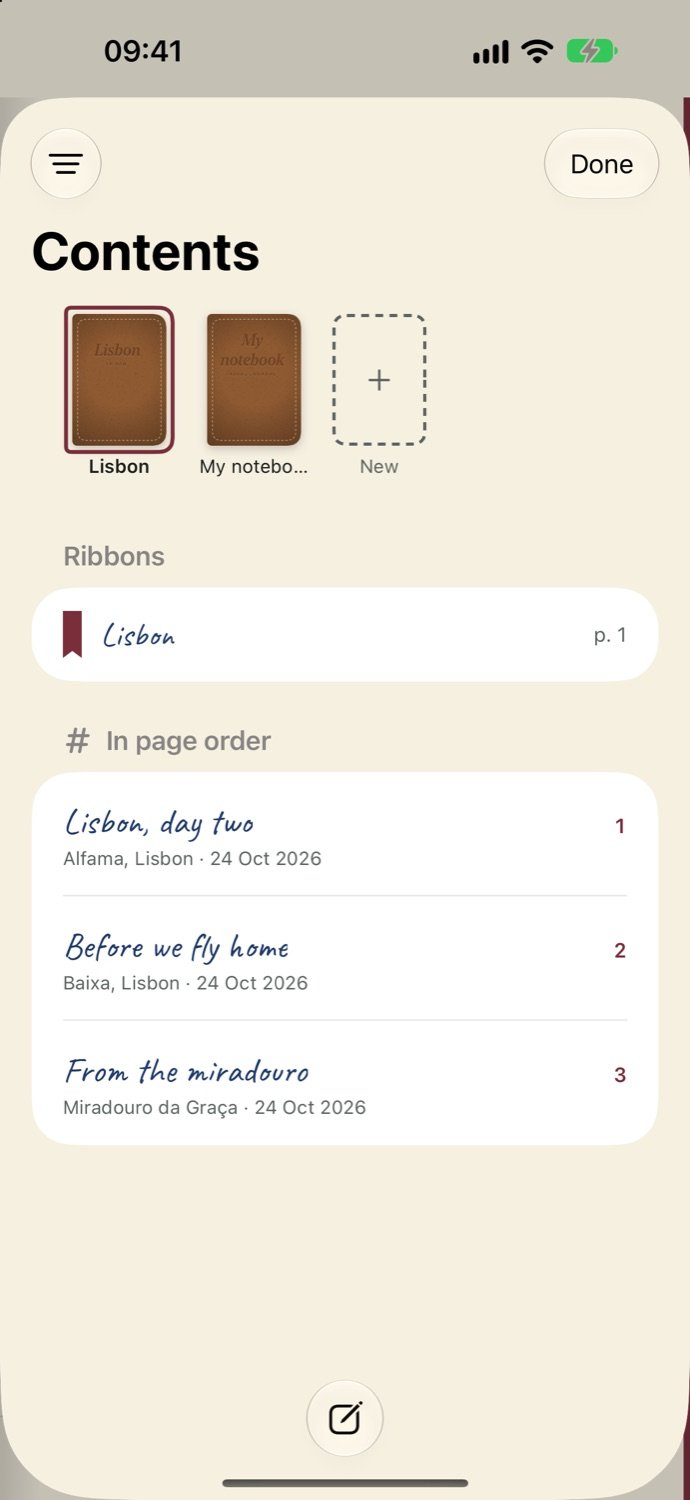
Two fingers down opens the Contents: your notebooks on a shelf, ribbons on the pages you return to, and every page listed with the place and date it was written.
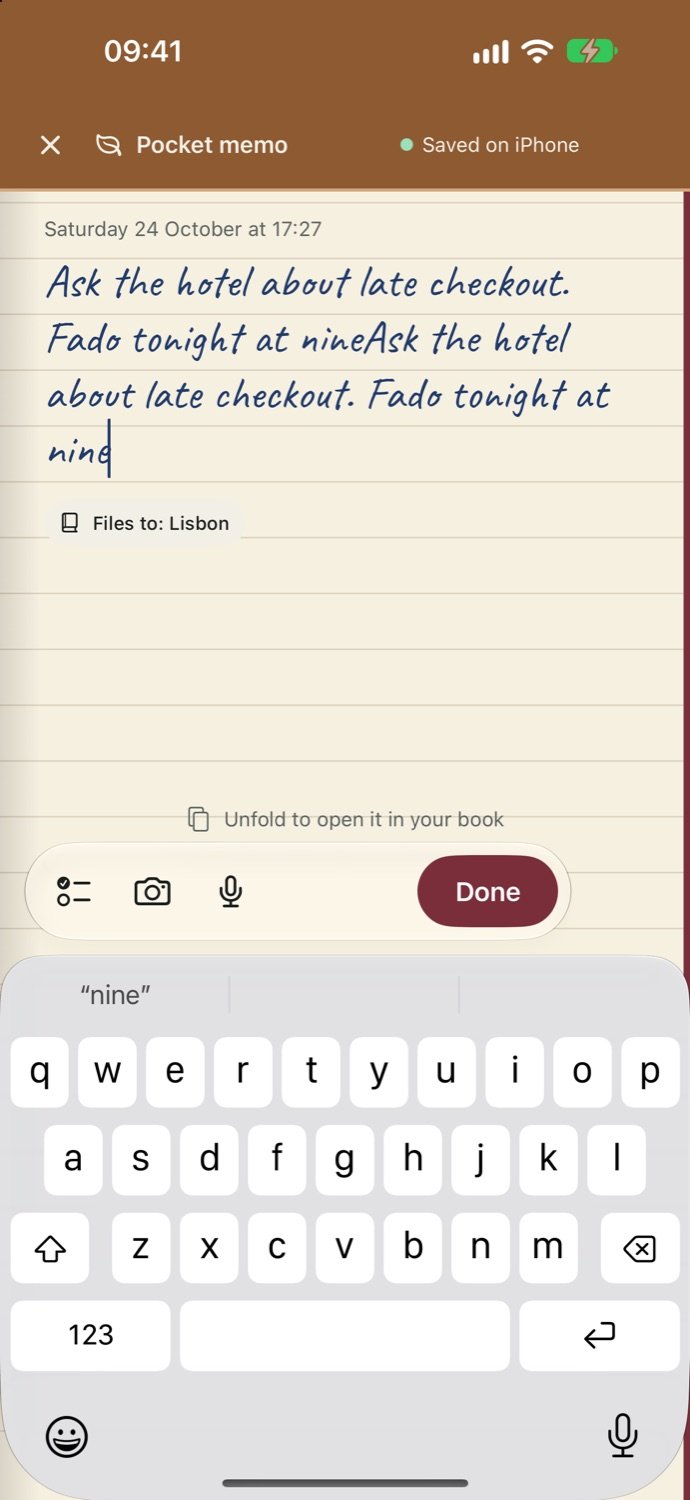
No time to open the book? The pocket memo takes a quick note, a list or a photo, and Done files it as the next page of the notebook you choose.
Unfold the iPhone Duo and Hojas opens like a book: two facing pages, one on each half. Pull a page corner to turn it.
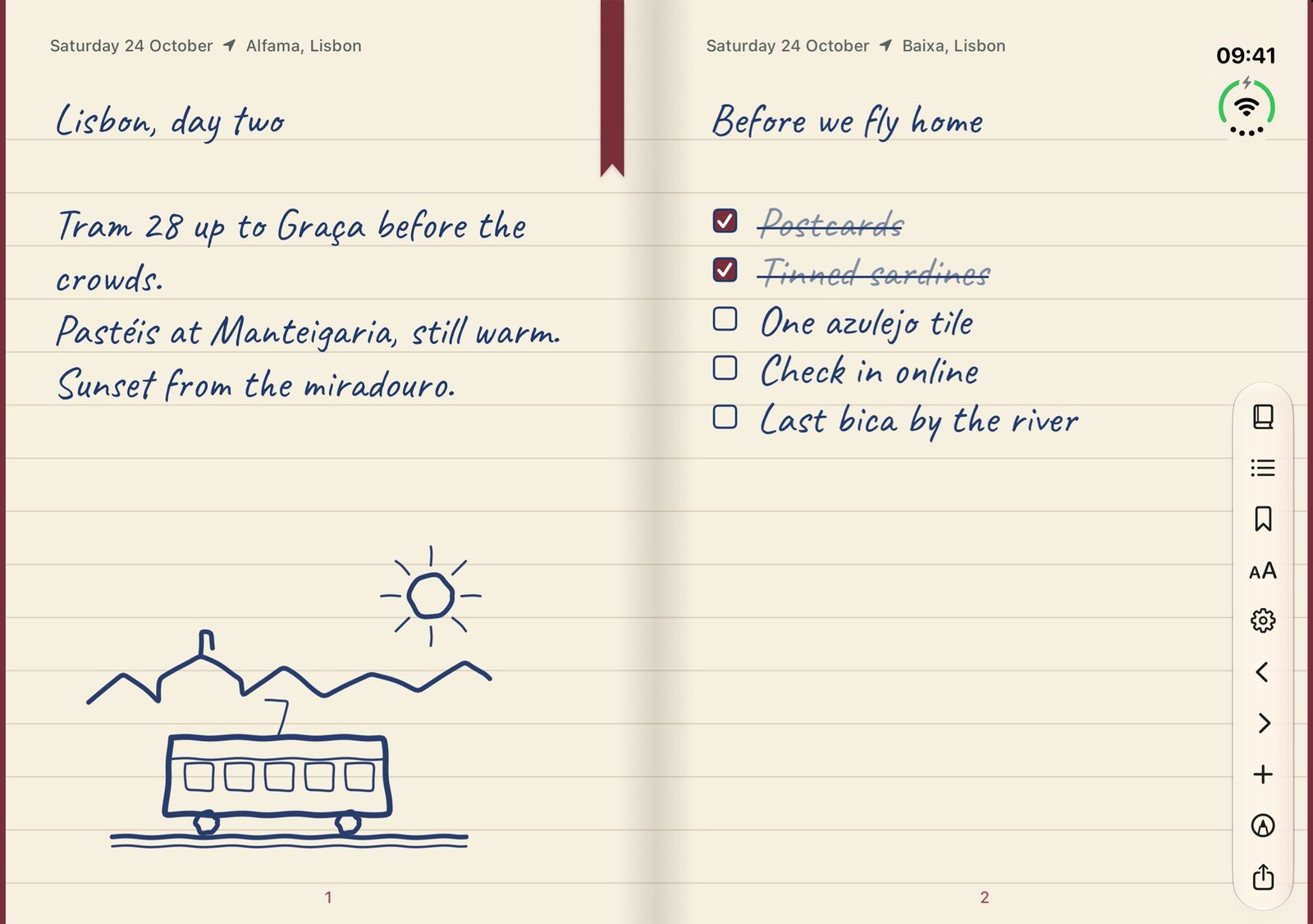
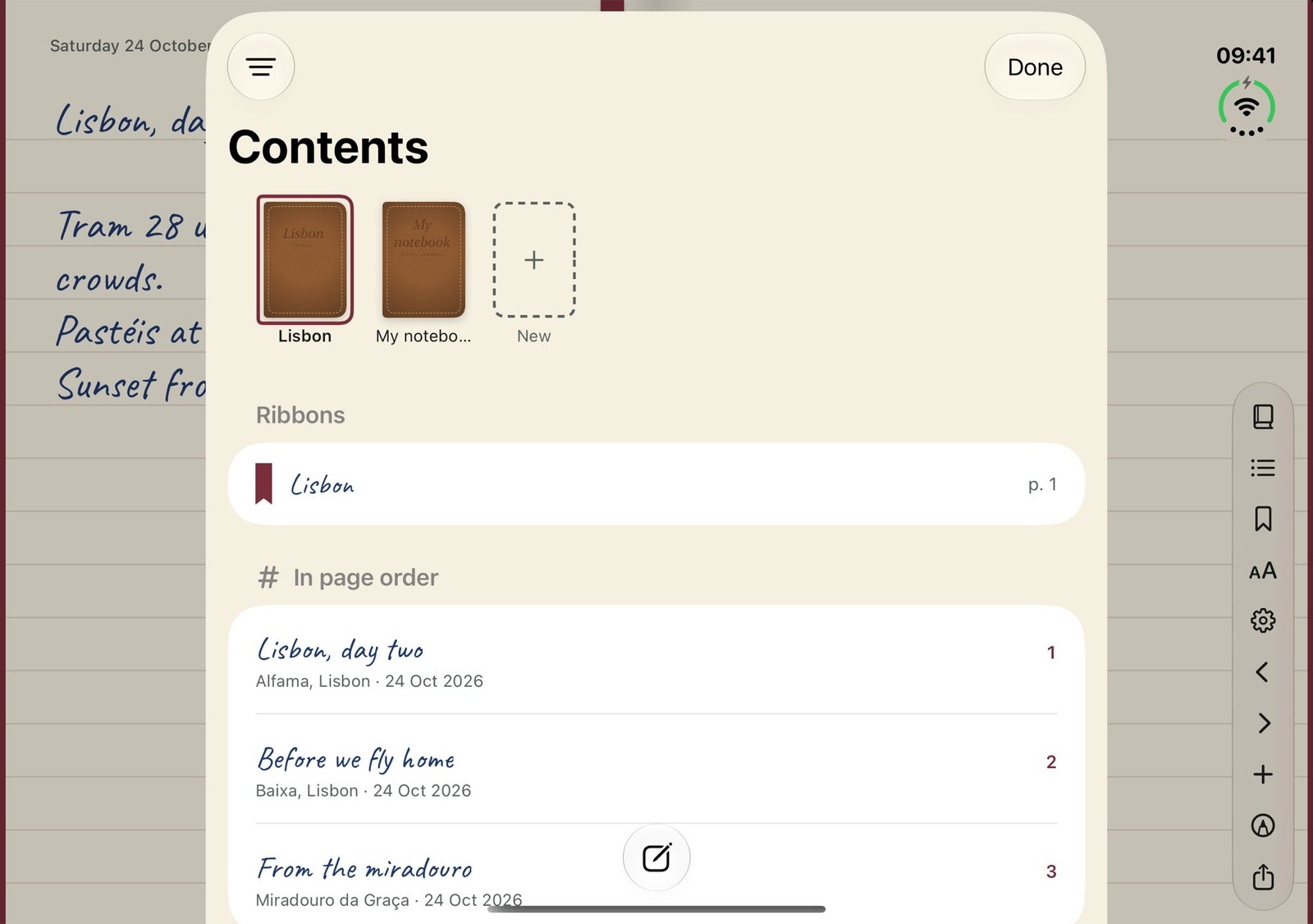
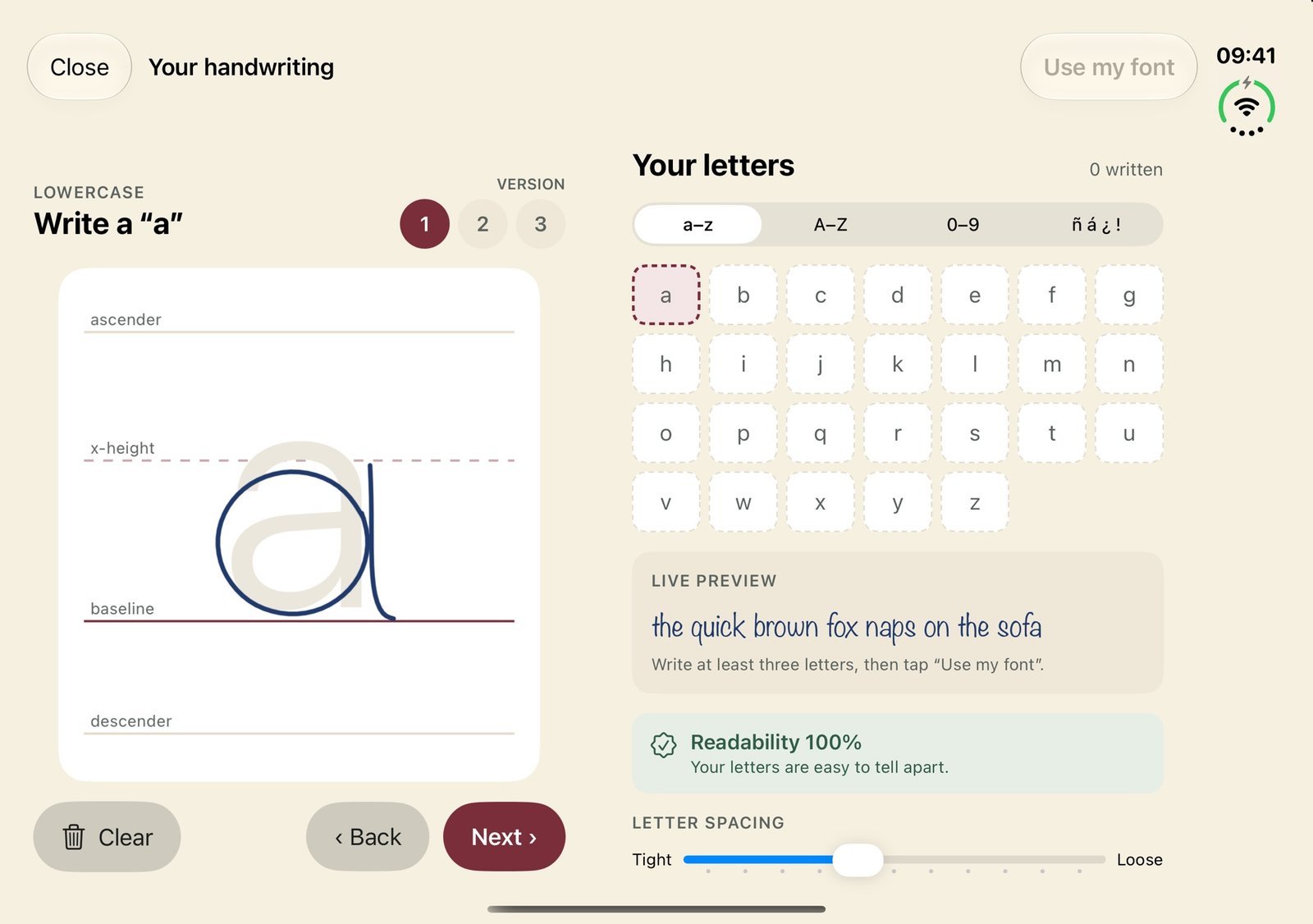
Two facing pages: handwriting, a checklist and a drawing.
Folded shut, the outer screen is the notebook’s cover. Jot something down without opening the book.
Pick the cover (Escolar, Viajero, Kraft, Herbario…), the paper, the ink and accent, a closure (cord, string or snap) and the page edges: plain, coloured, gilt or marbled.
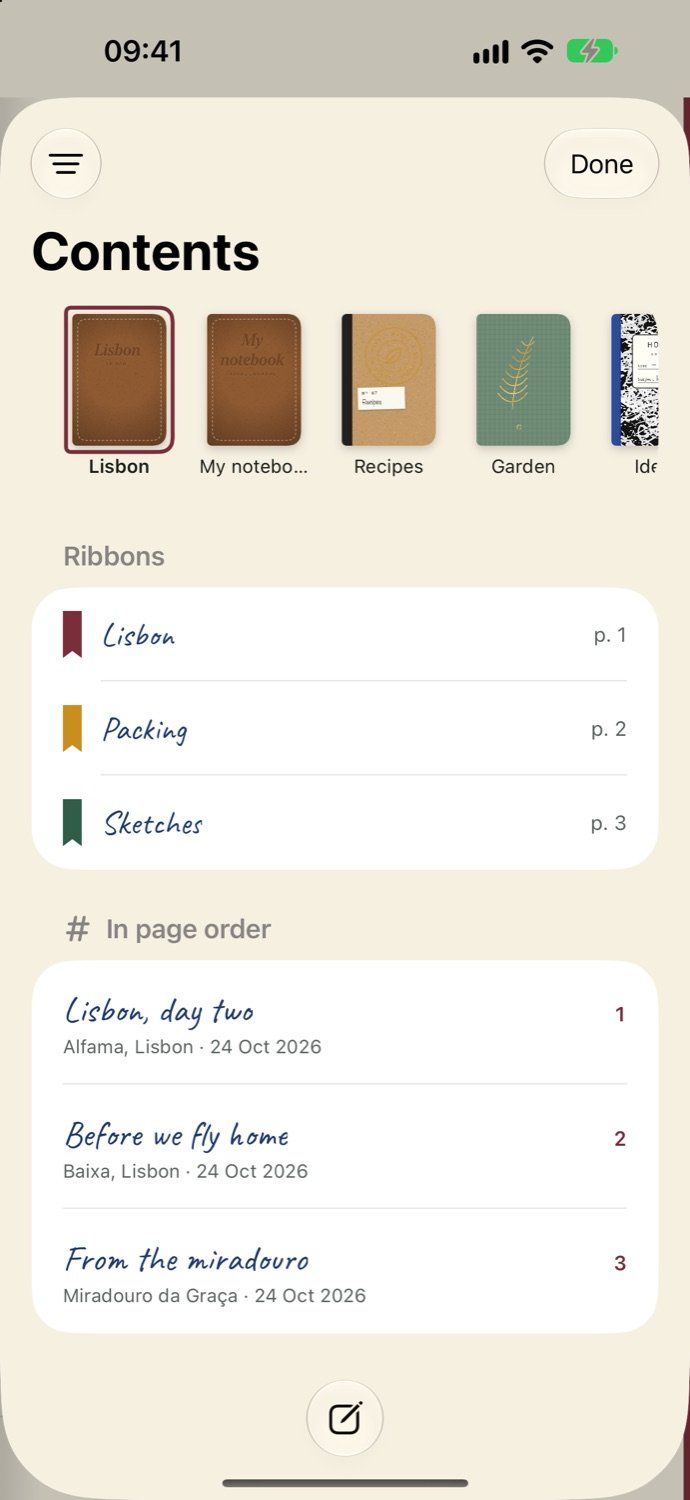
Keep a notebook per trip, project or year, each with its own cover.
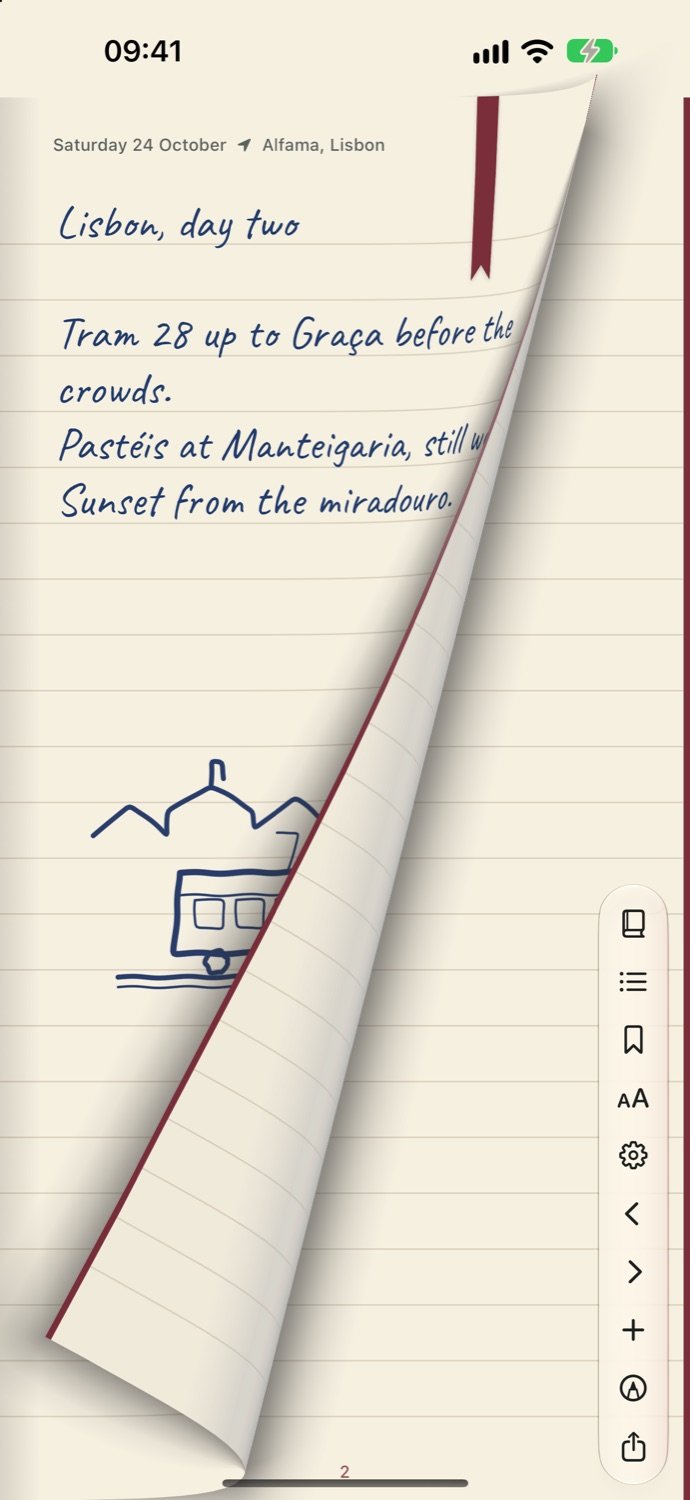
Pull a page corner and it curls over like paper.
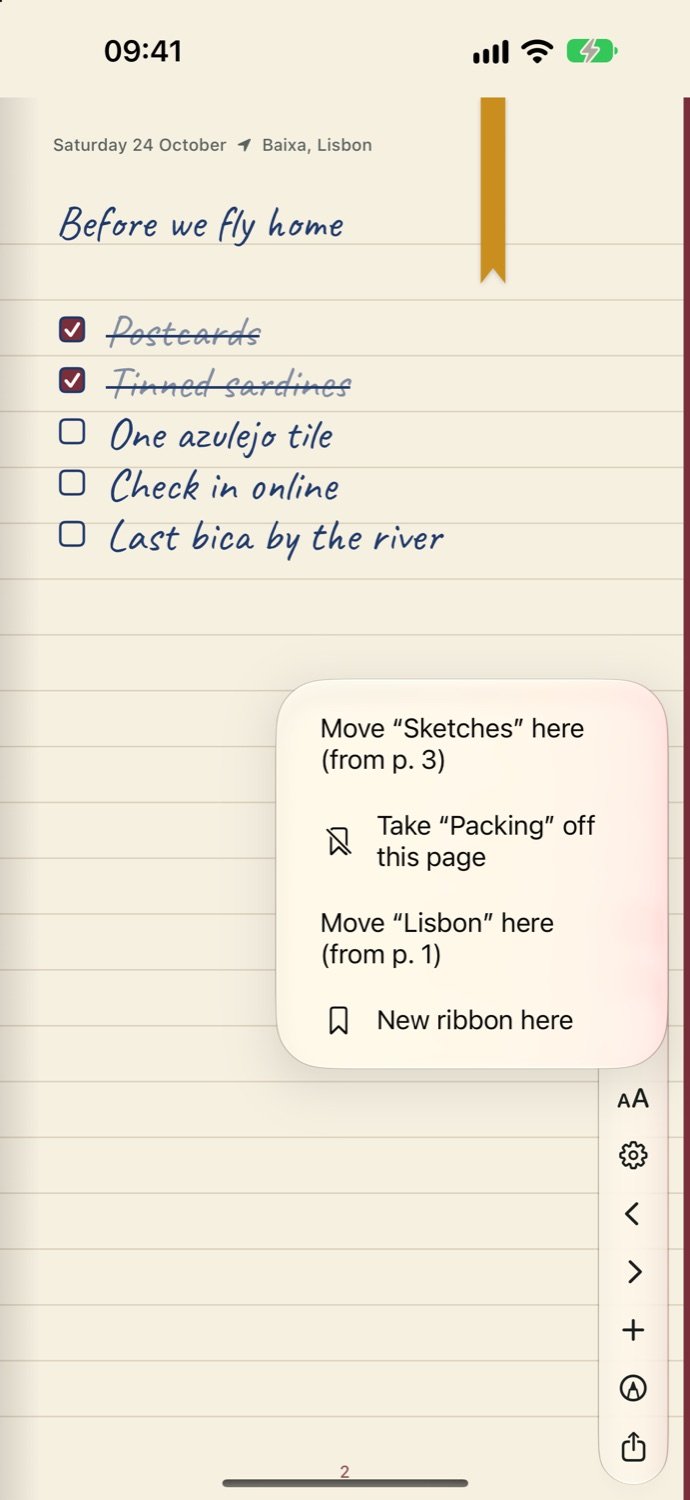
Hang a ribbon on a page, move it, or add a new one.
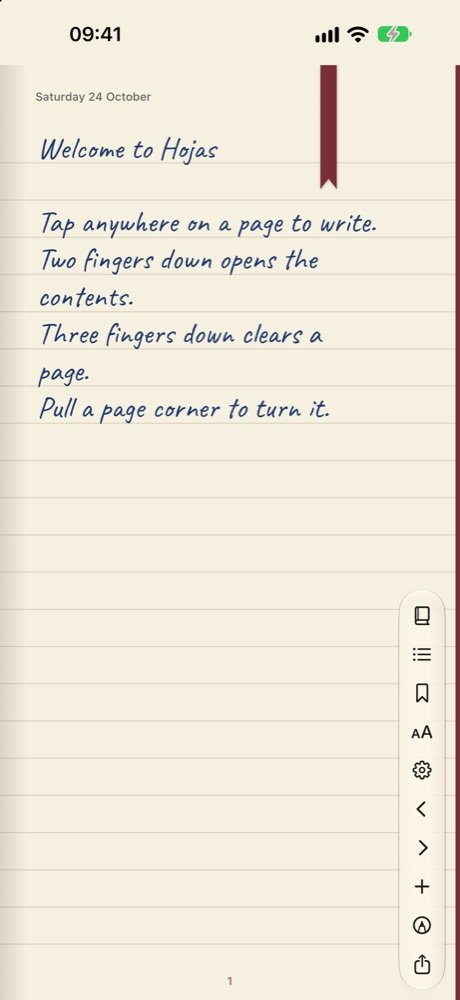
Two fingers down for the contents, three to clear a page, a corner to turn it.
Notes apps are quick, but every page looks the same and nothing feels like mine. I wanted a notebook I’d pick up on purpose: a cover I chose, paper I like, a ribbon on the page I’m working on, and handwriting on every line, even when I type.
The iPhone Duo made it possible. Folded, it’s a pocket memo for quick thoughts. Unfolded, it opens into two real pages you turn by the corner.
Hojas is Spanish for pages, and for leaves. It felt right for a notebook you fill one leaf at a time.
Yeison · @yeisospina · @yeisonospina
Yes. Hojas’s public beta is open on TestFlight. Install Apple’s TestFlight app, then tap Join the beta on this page to get Hojas on your iPhone or iPhone Duo.
Yes. Trace each letter over a guide and Hojas turns it into a real font right on your iPhone, with no upload, then writes your typing in it.
On your phone. Turn on iCloud sync if you want notes, handwriting and settings on your other devices too; turn it off and they stay local.
No. Hojas runs on any iPhone, one page at a time. On the Duo it opens into two facing pages.
Hojas is in public beta. Join on TestFlight to get it on your iPhone or iPhone Duo.
Join the beta onTestFlight