Follow the sun
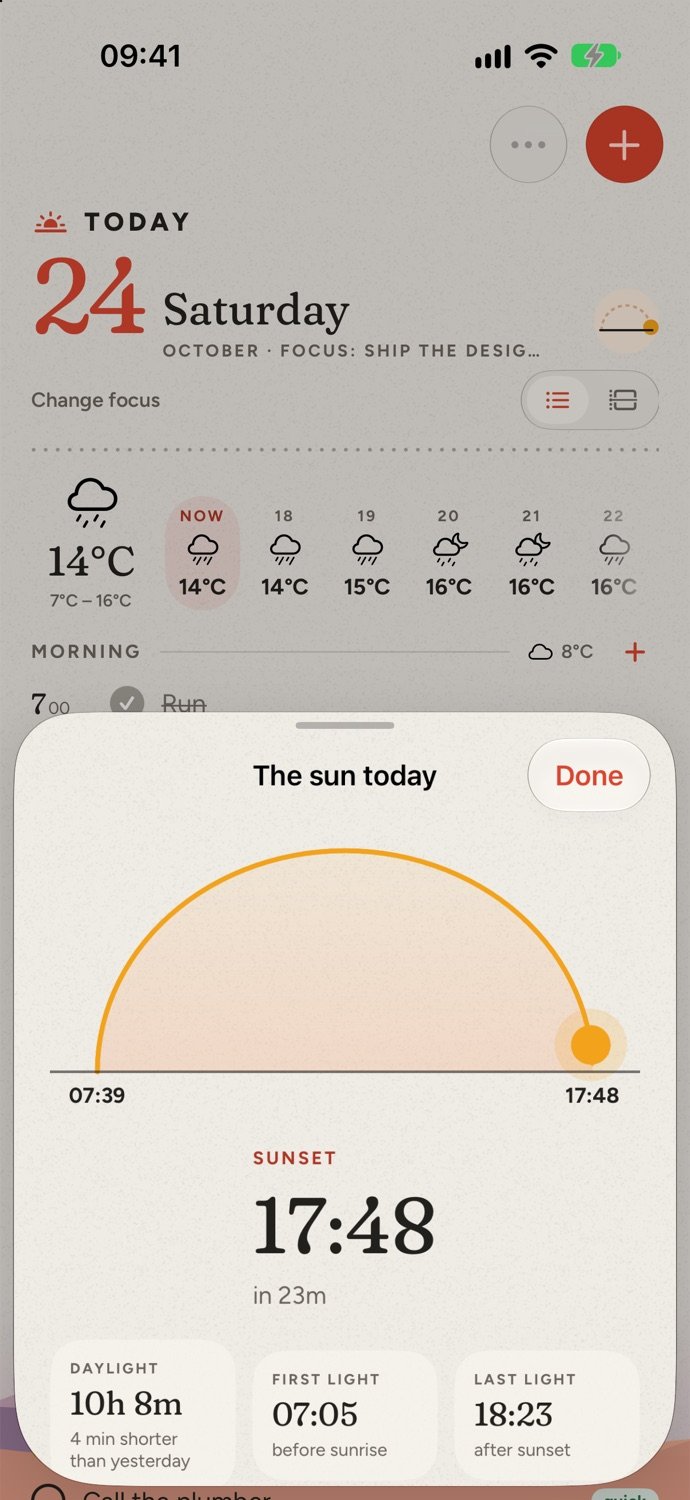
Tap the sun dial for today’s sunrise and sunset, how much daylight is left, and first and last light.
Your calendar and your tasks on the same page, split into morning, afternoon and evening. Plan it in the morning, tear it off at night.
macOS 26 or later, Apple silicon (M1 or newer).
Follow a Saturday through Hoy. Every screen below is the real app, running its built-in sample day.
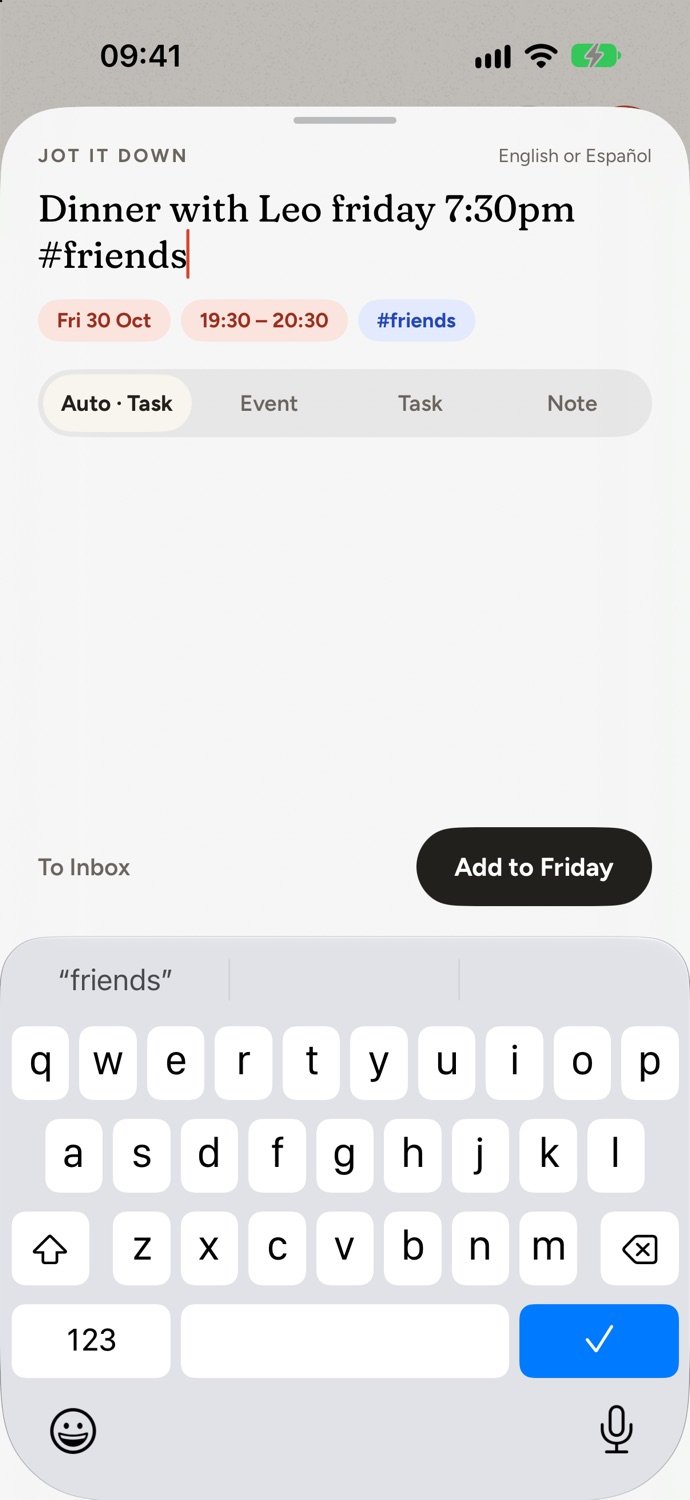
Tap + and type it like a text: “dinner with Leo friday 7:30pm #friends”. Hoy picks out the day, the time and the tag, in English or Spanish.
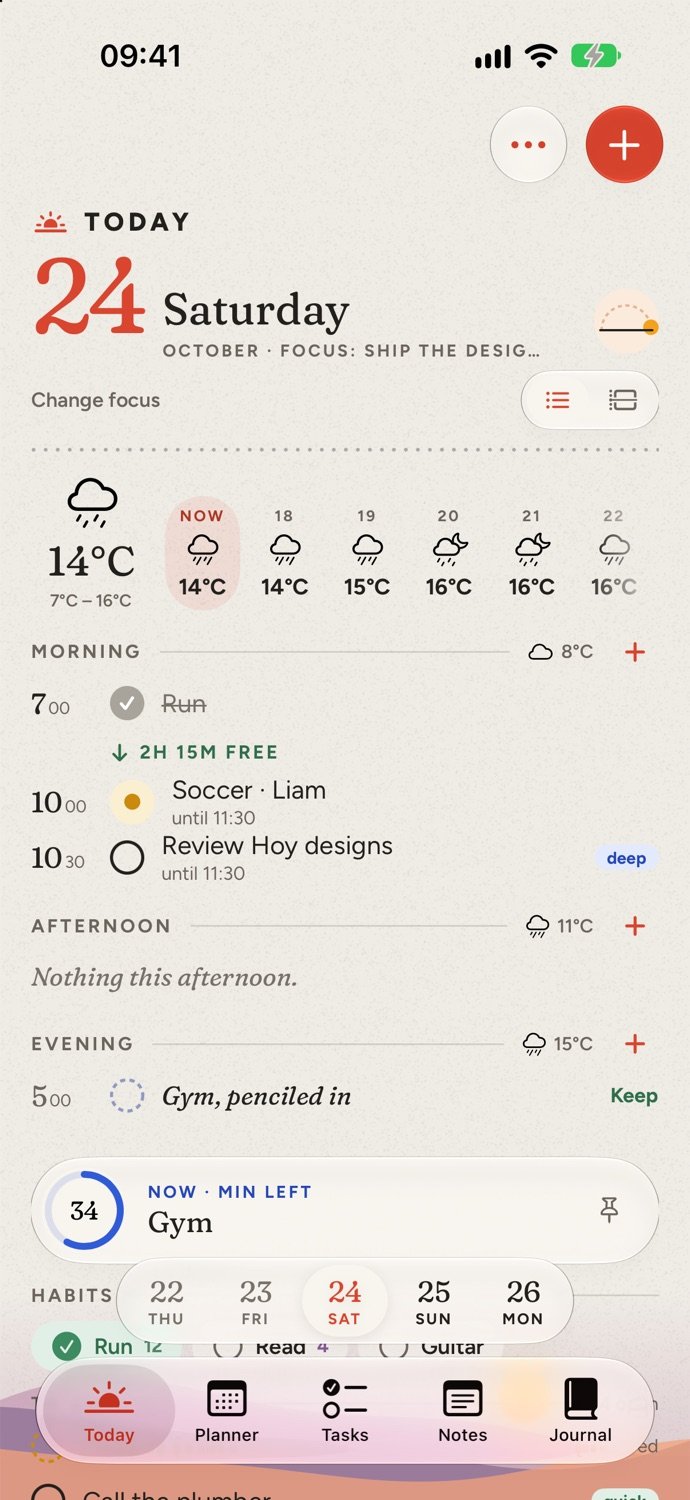
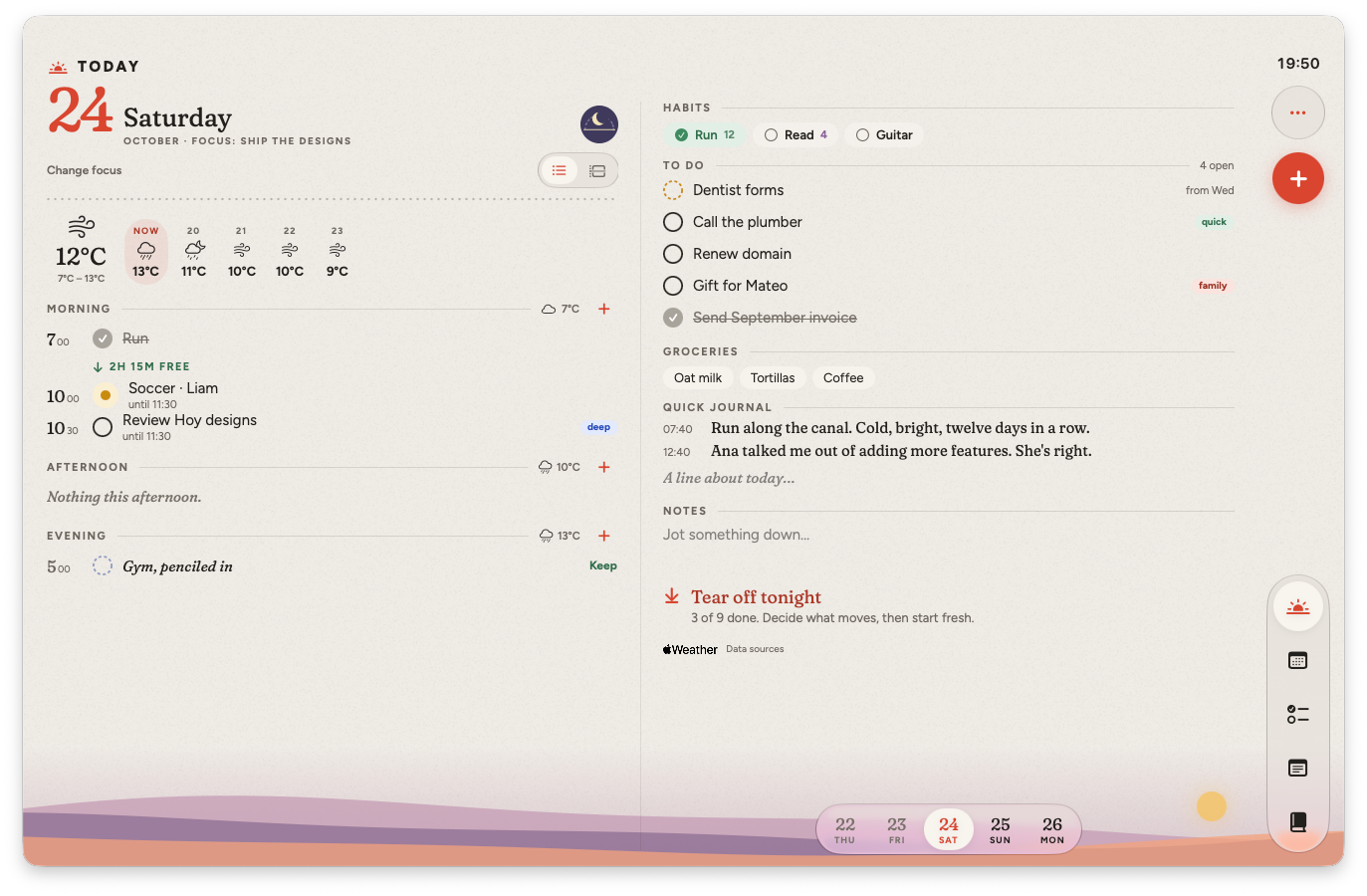
Calendar events, tasks and reminders together, split into morning, afternoon and evening, with the day’s focus right under the date.
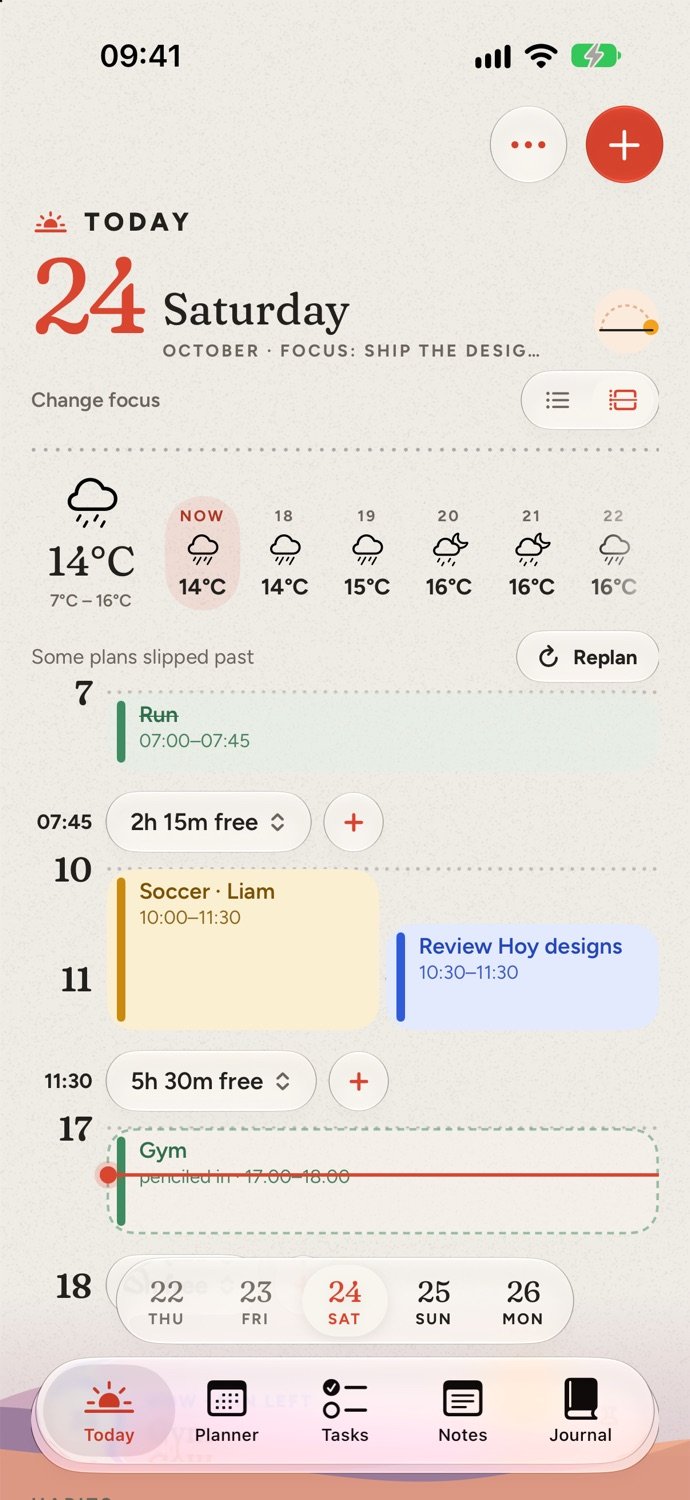
Switch to the timeline and long stretches fold into free-time capsules. Tap + in one to drop a to-do into it. Running late? Replan moves what you missed.
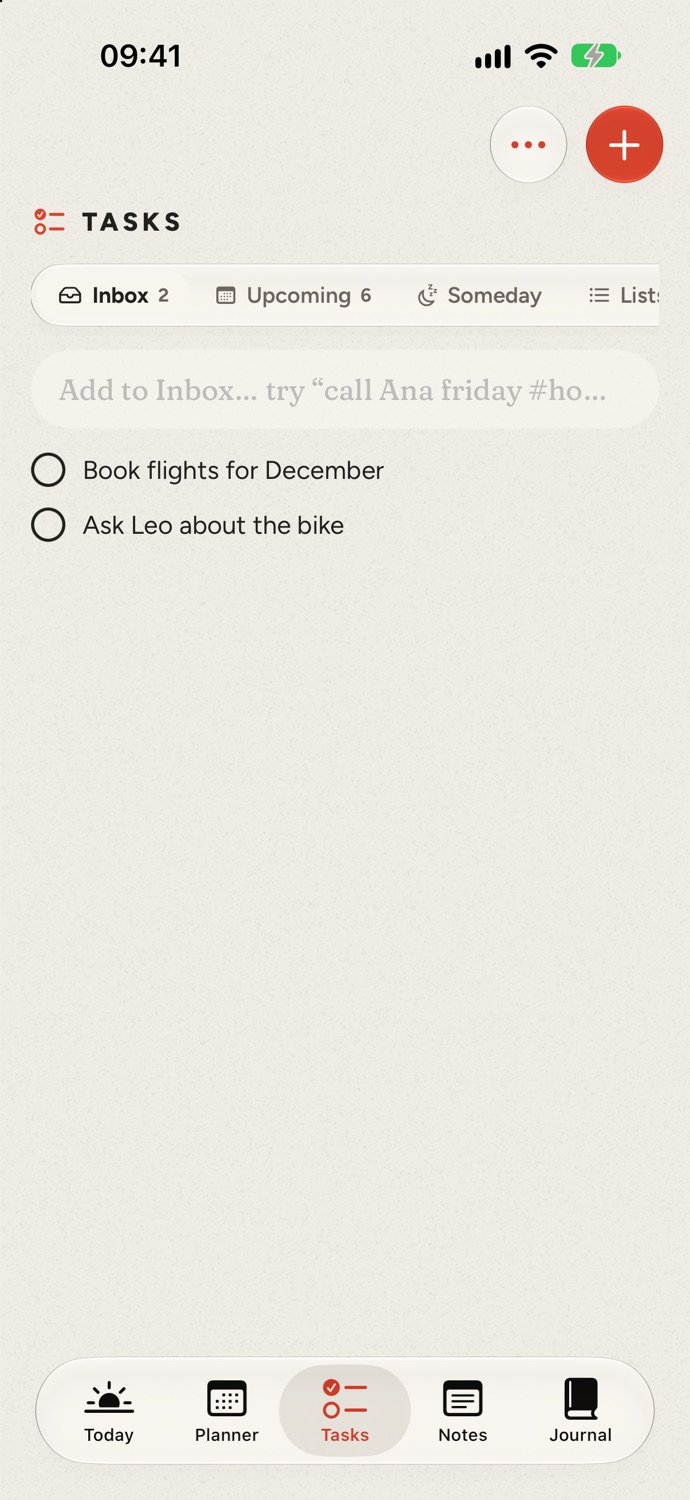
Tasks without a day wait in the Inbox, with Upcoming, Someday and your own lists beside it. Unfinished tasks roll onto today, marked with the day they came from. No red badges, no guilt.
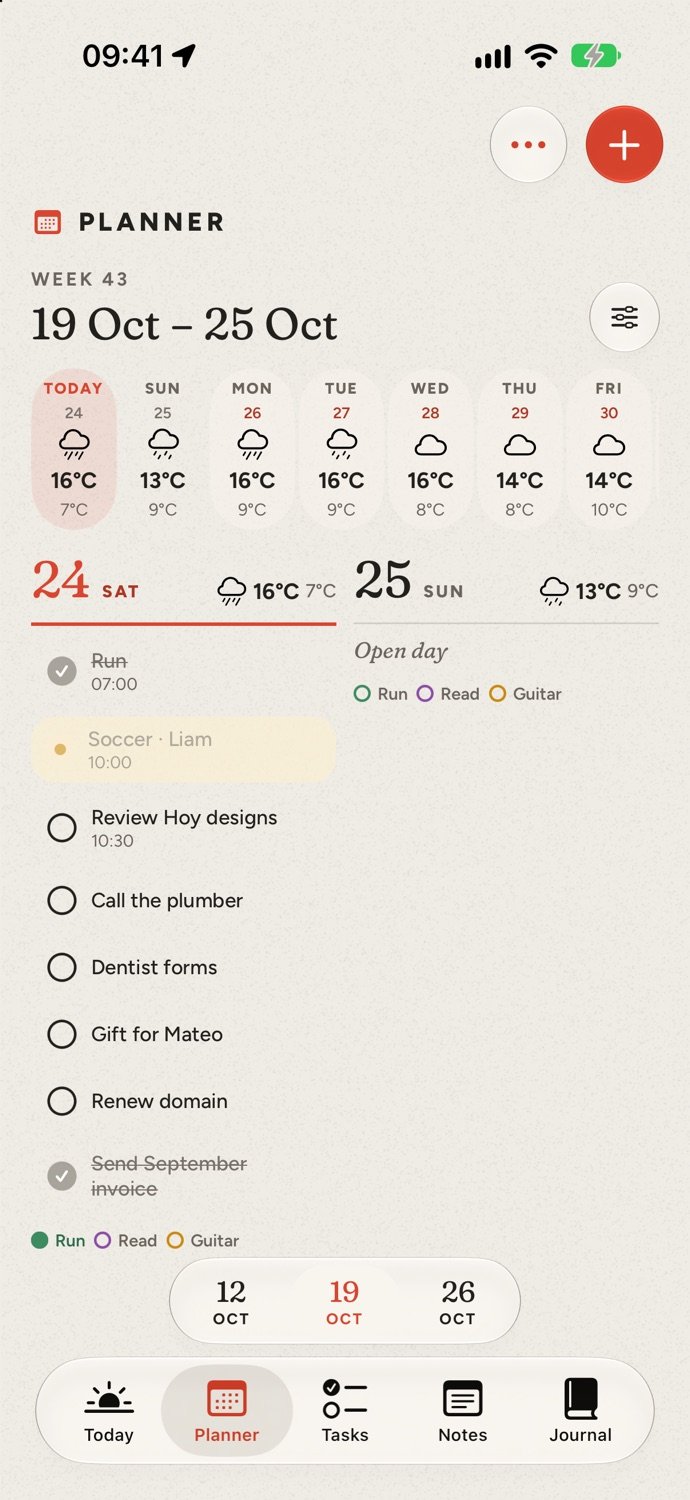
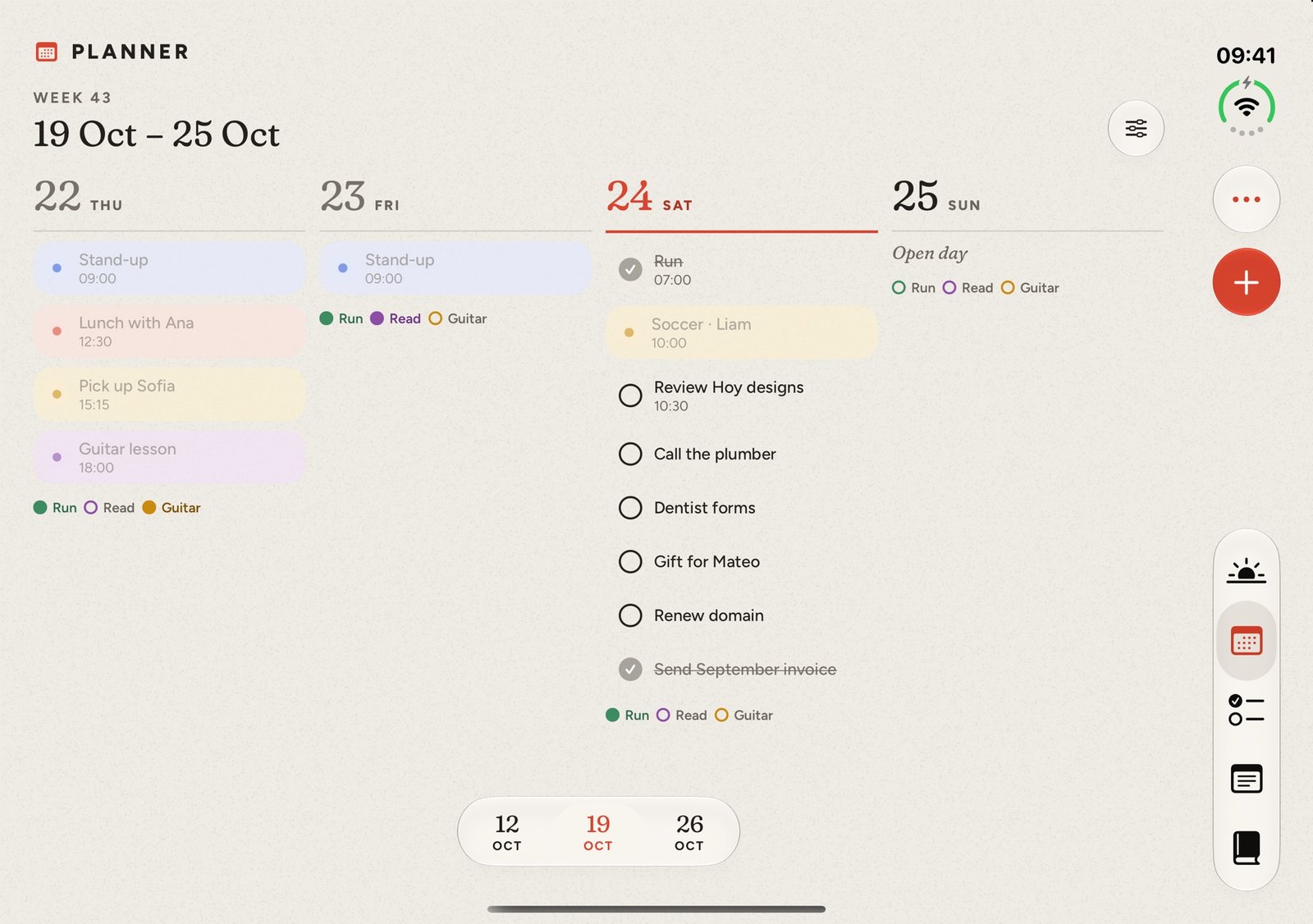
The Planner shows your week as columns, cards or an agenda, the month day by day, or the year with its seasons painted on.
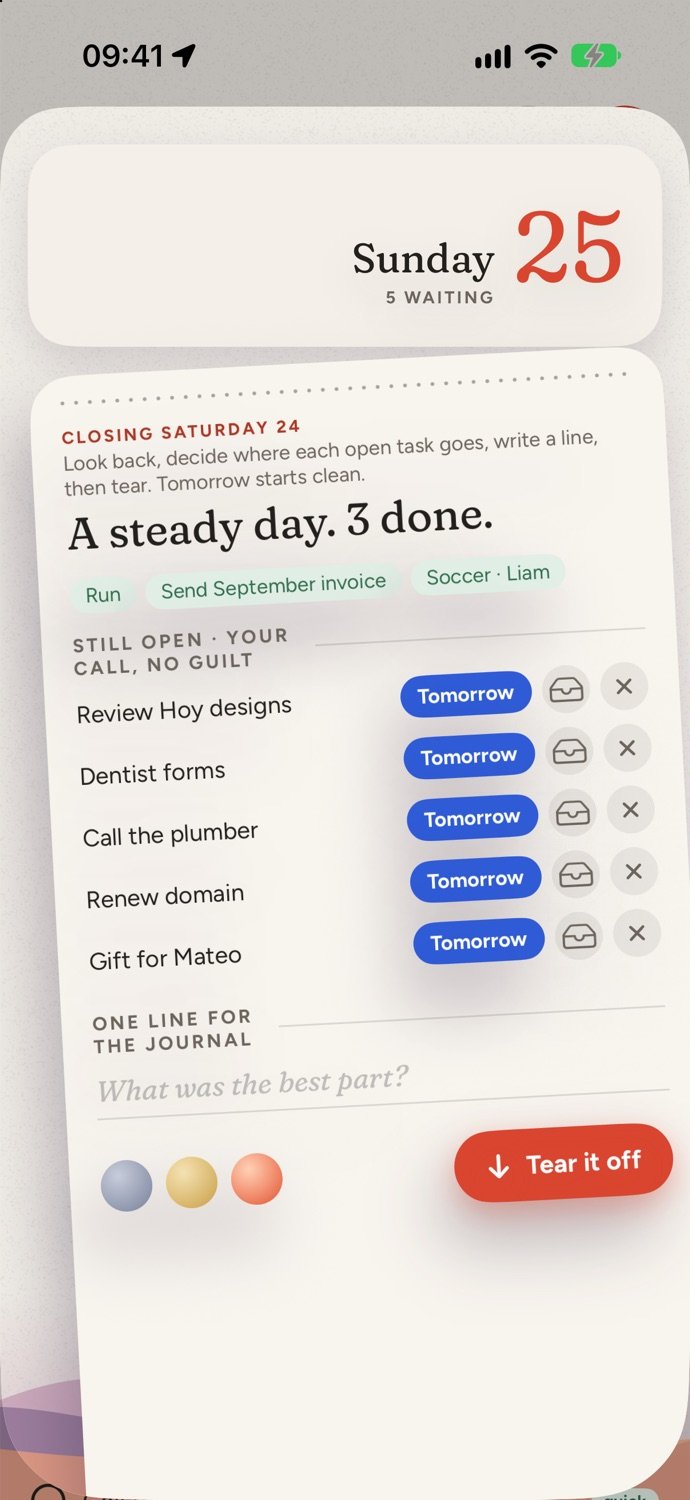
Each evening, tear off the page: see what you did, decide what moves to tomorrow and write one line for the journal. Two minutes, and tomorrow starts clean.
Unfold the iPhone Duo and Hoy becomes a diary spread: your schedule on the left, everything else on the right. Each page gets exactly half, so nothing sits on the crease.
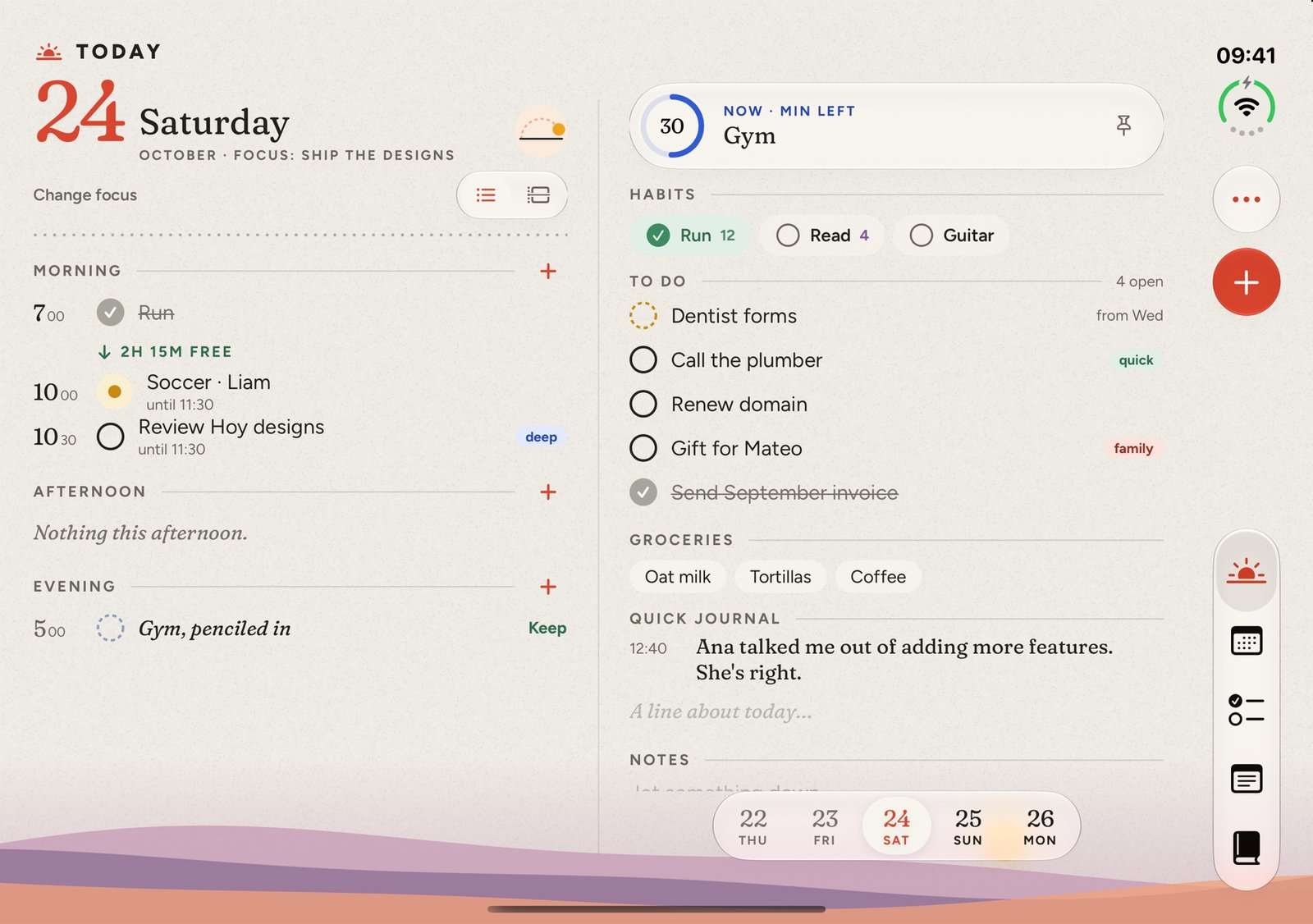
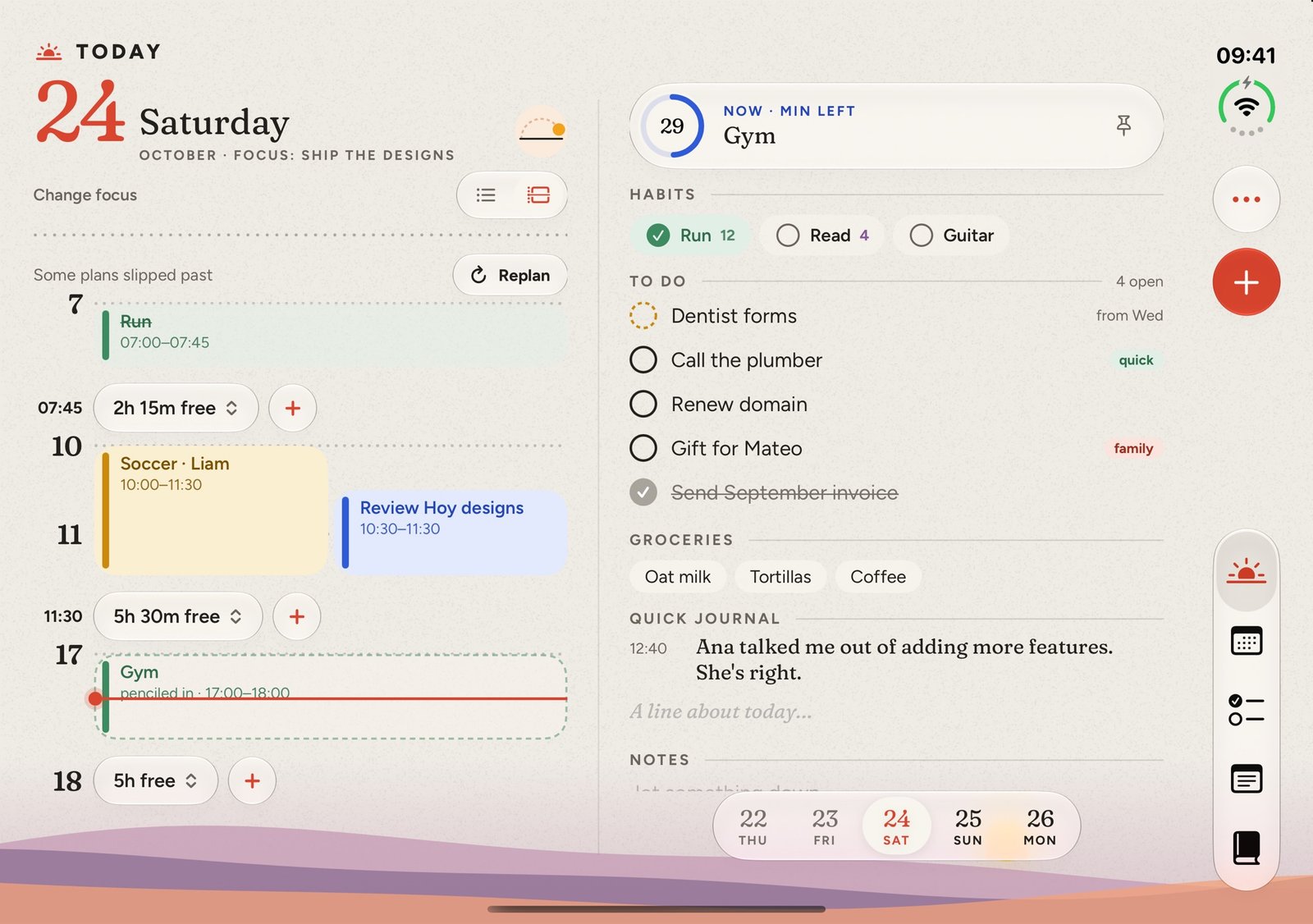
The day on the left; next up, habits, to-dos, groceries and a quick journal on the right.
Hoy on the Mac has the same paper and glass design as on the iPhone Duo, with the whole day a glance away. It updates itself, so you always have the newest version.
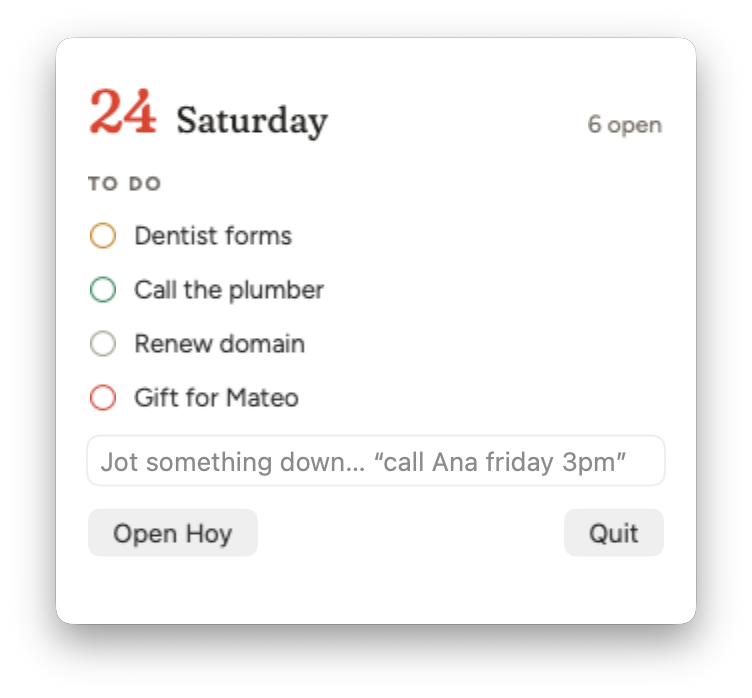
macOS 26 or later, Apple silicon (M1 or newer).
Tap the sun dial for today’s sunrise and sunset, how much daylight is left, and first and last light.
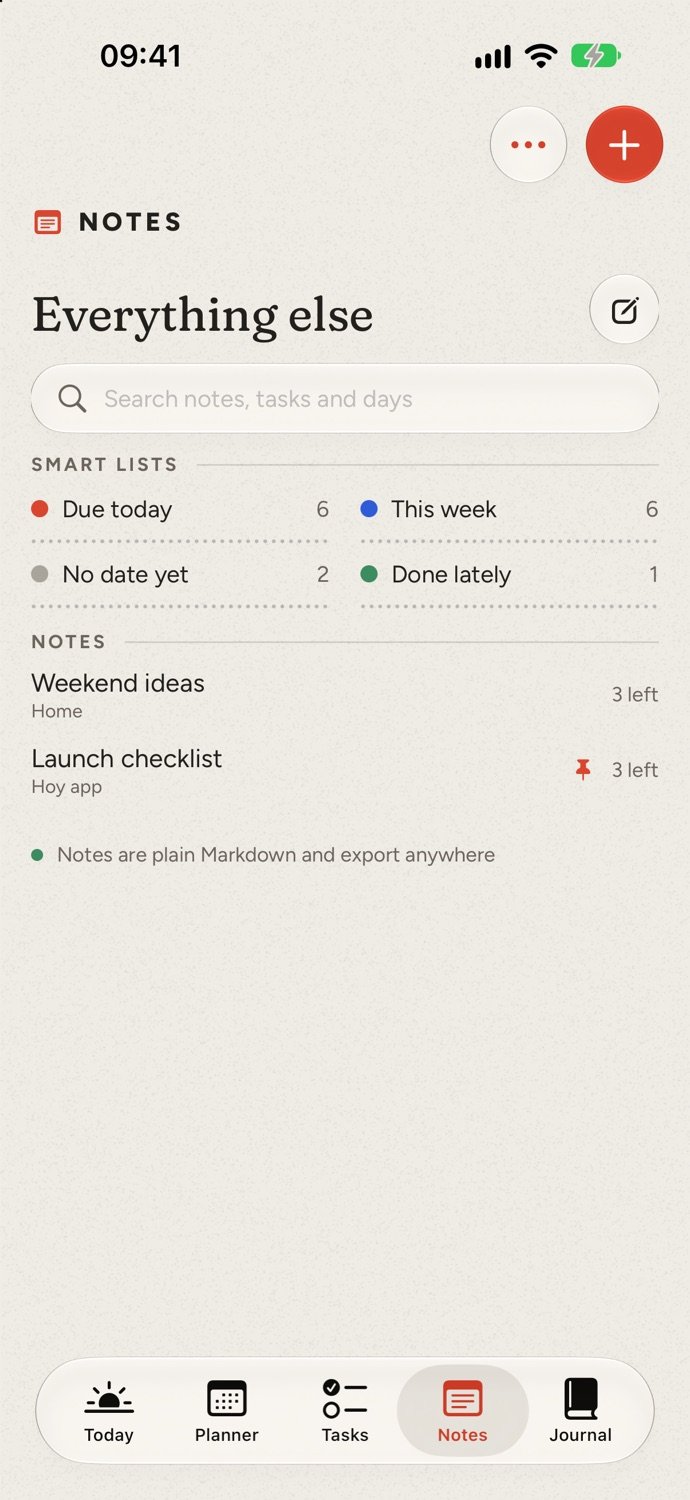
Smart lists, checklists and ideas, a tab away from the day.
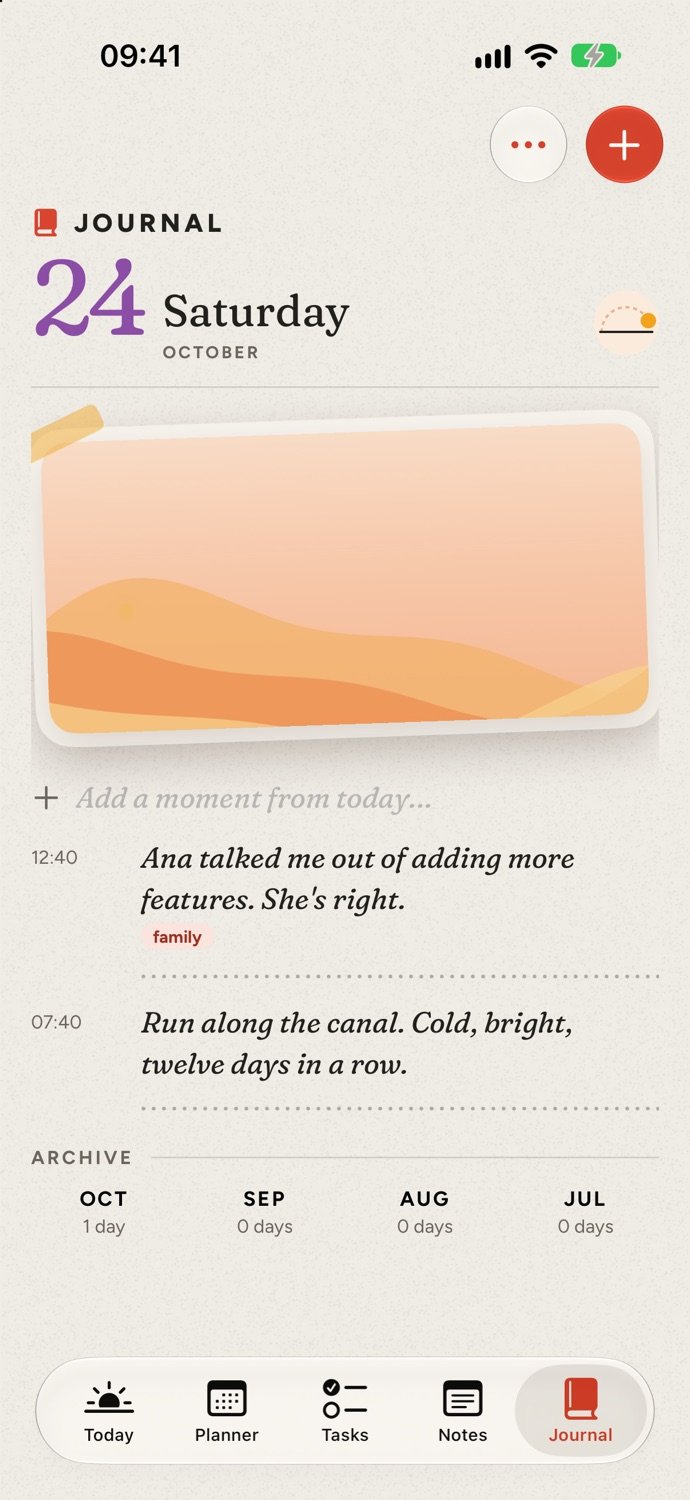
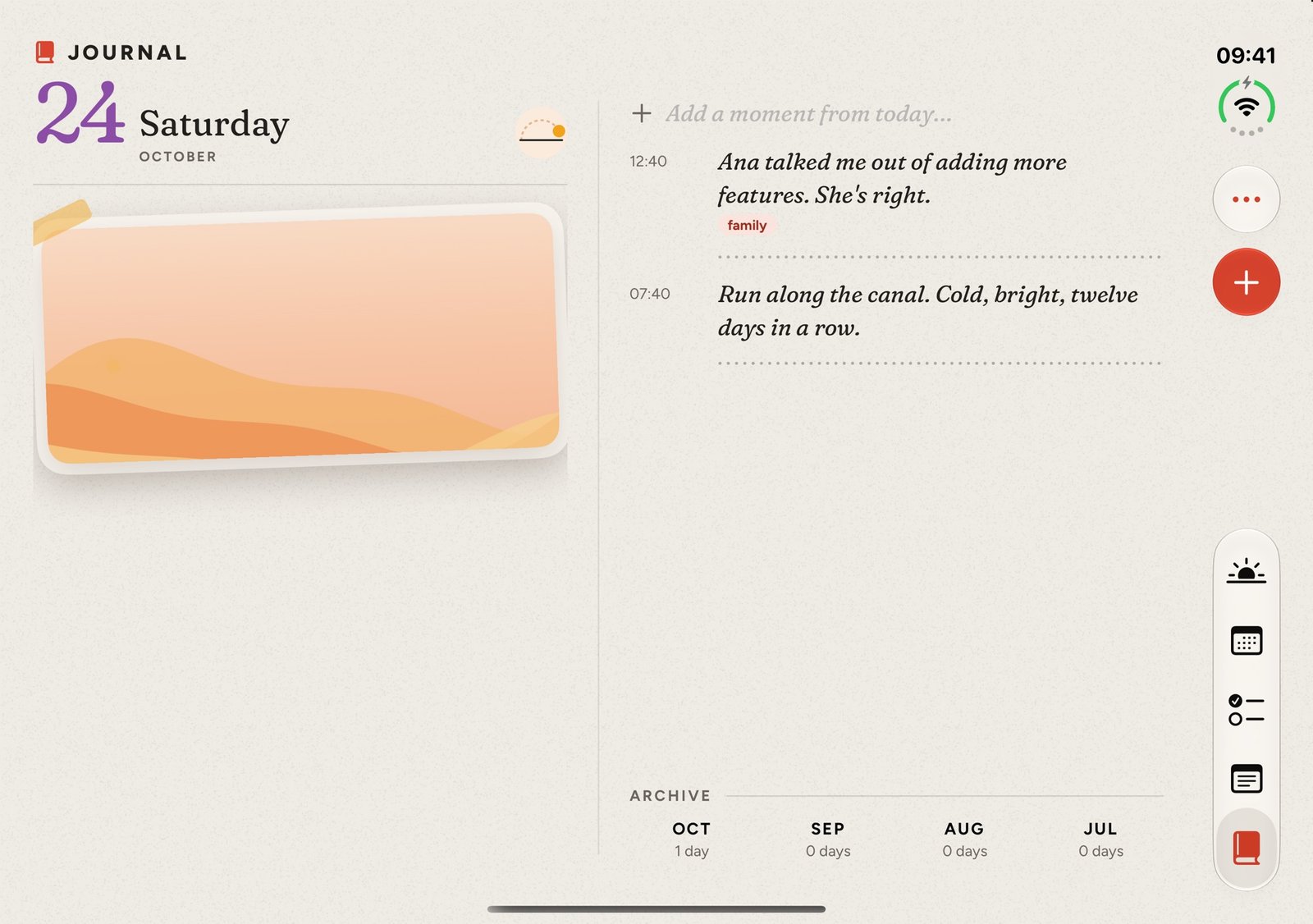
Moments from the day, a photo, and an archive month by month.
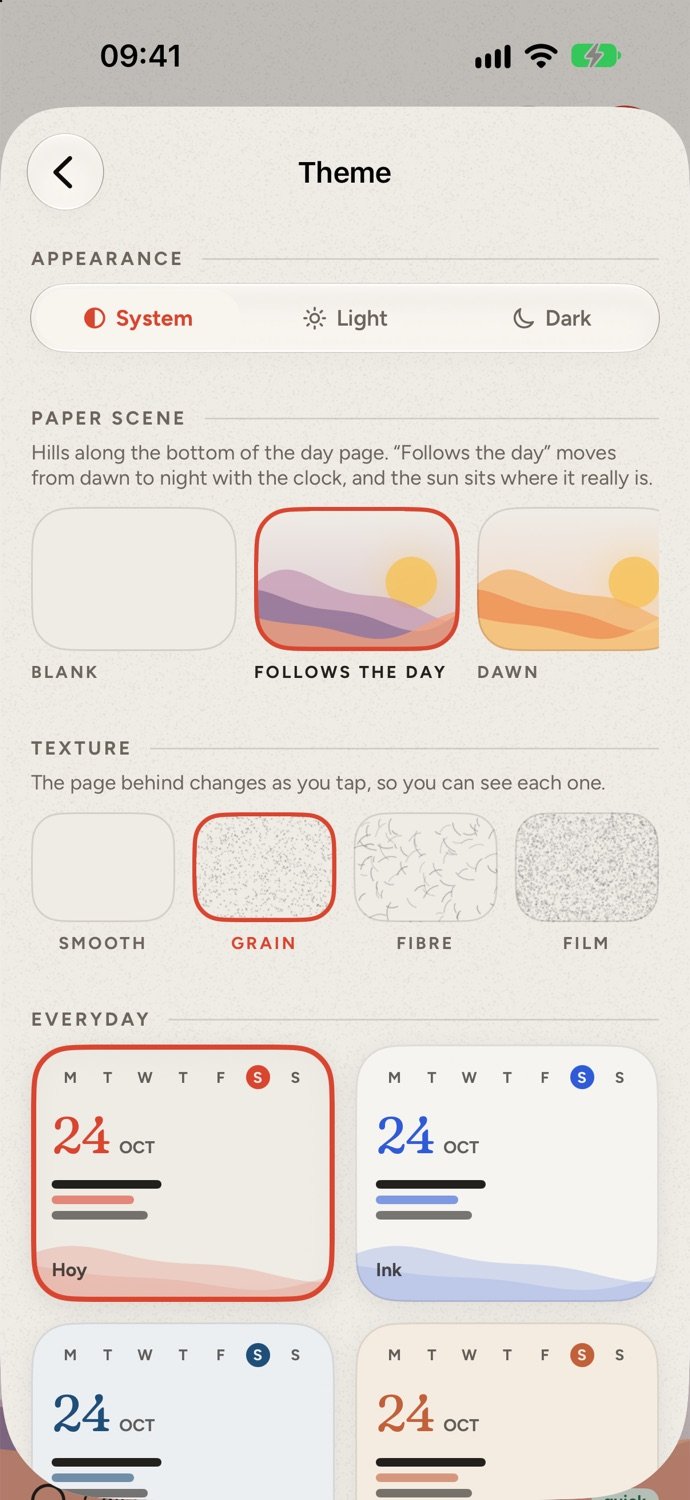
Light or dark, a paper scene whose hills follow the clock, a texture and a colour set.
Columns, cards or an agenda, with the week’s weather across the top.

I made Hoy because every planner I tried either buried my day in lists or nagged me with red badges. I wanted one calm page I’d actually open each morning: my calendar, my tasks and my reminders together, morning, afternoon and evening, and a small ritual to close the day.
When the iPhone Duo arrived, it felt like the right moment to make it, so Hoy opens out into two pages like a real diary.
Yeison · @yeisospina · @yeisonospina
Yes. Hoy’s public beta is open on TestFlight. Install Apple’s TestFlight app, then tap Join the beta on this page to get Hoy on your iPhone, iPhone Duo or iPad.
Every calendar on your phone, including Google, Outlook and subscribed ones like sports fixtures, plus Apple Reminders. They stay where they are: Hoy reads them on your device and shows them on the day page. You choose which calendars appear.
Yes. Type plans the way you’d say them, in English or Spanish, and Hoy picks out the day, time and tag.
No. Hoy runs on any iPhone, iPad and Mac. On the Duo it opens out into a two-page spread.
Yes. Download it from this page: open the .dmg, drag Hoy to Applications and open it. It needs macOS 26 or later on Apple silicon (M1 or newer), it’s notarised by Apple, and it updates itself. With iCloud sync, your Mac and iPhone show the same day.
Download Hoy for your Mac now. On iPhone, iPhone Duo and iPad, join the public beta on TestFlight.
macOS 26 or later, Apple silicon (M1 or newer).